How do I override student information that is provided by the SIS?
Last updated 6 days ago
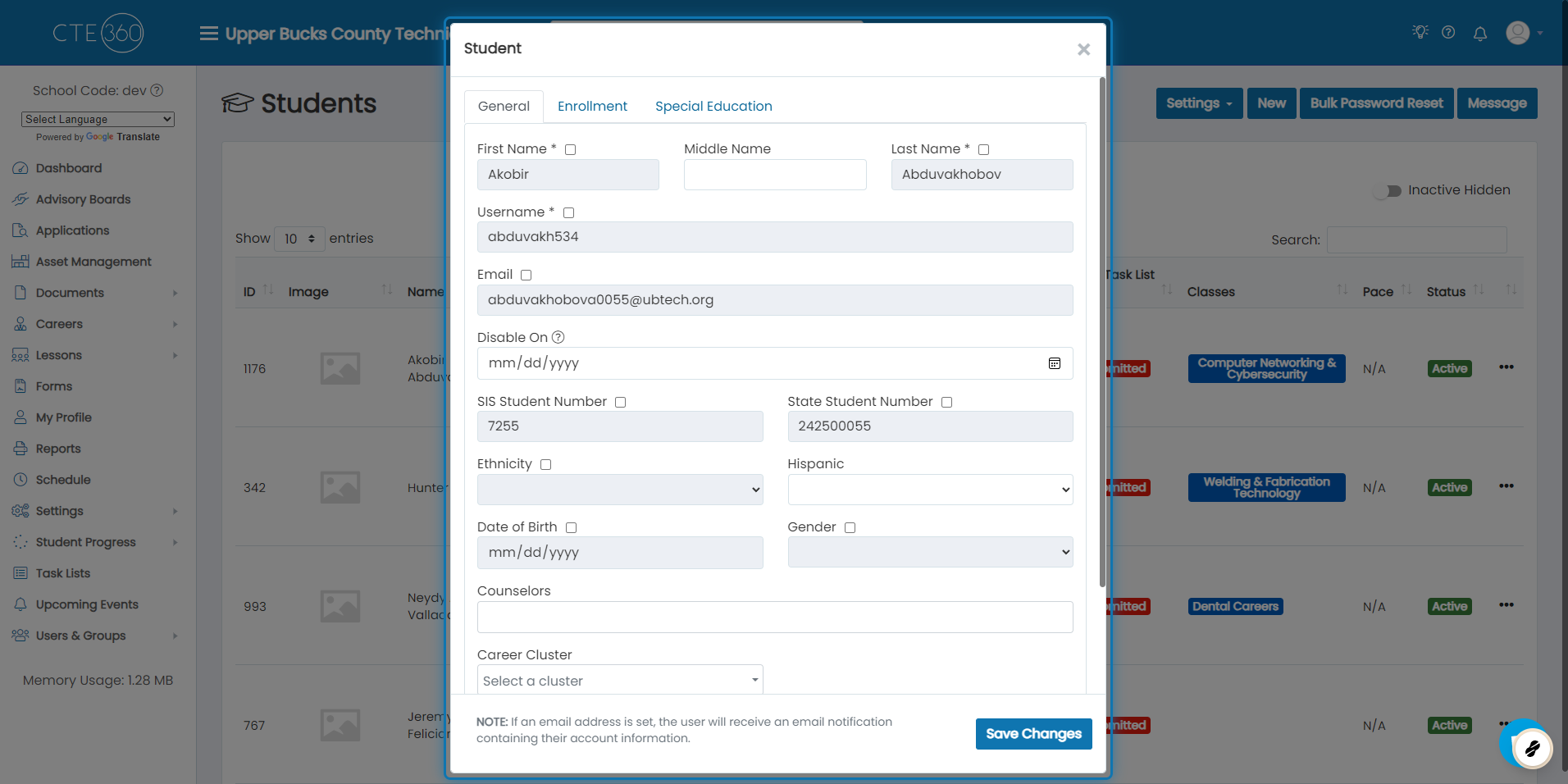
1. When editing a student record that is synced from a SIS, you will see all SIS fields greyed out
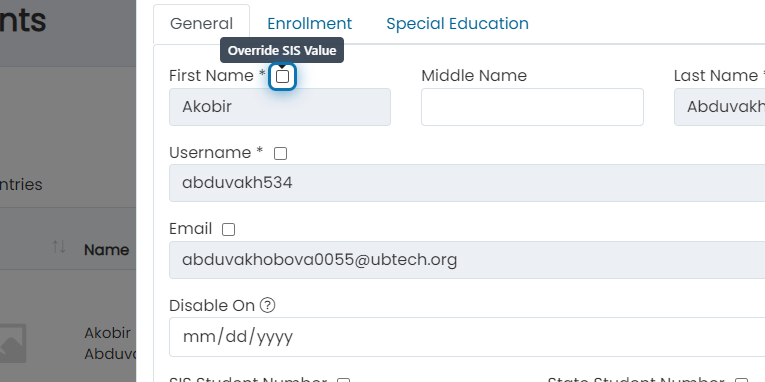
2. To override a value, click the "Override SIS Value" checkbox
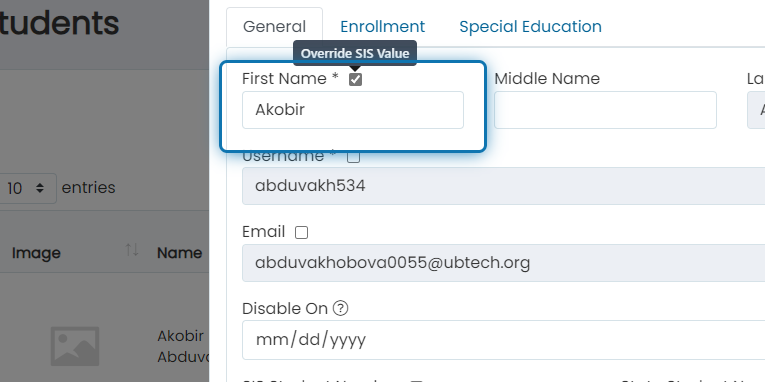
3. The box will be re-enabled and you'll be able to change the value
This field will no longer get updated by the SIS so be sure that you're only change fields that you need to update from the SIS in the future.
Was this helpful?
Still need help? Ask the team