How do I place a student in an opportunity and record a hire?
Last updated About 2 months ago
There are two ways to get a student into a Work-Based Learning experience: the guided path, where the student applies and reports their own hire, and the direct path, where you place and hire them yourself in one step.
Approving placements, placing students, and recording hires all require membership in the Work-Based Learning Coordinator group. Teachers who can see a student but aren't in that group won't be able to take these actions.
The guided path
This is the normal flow when a student applies on their own:
Student expresses interest, or you find them through How do I match and compare candidates for a WBL opportunity? .
You Approve (or Match) their placement.
Student clicks Apply, sending their resume/message to the employer.
Student reports back I'm Hired or Not Hired.
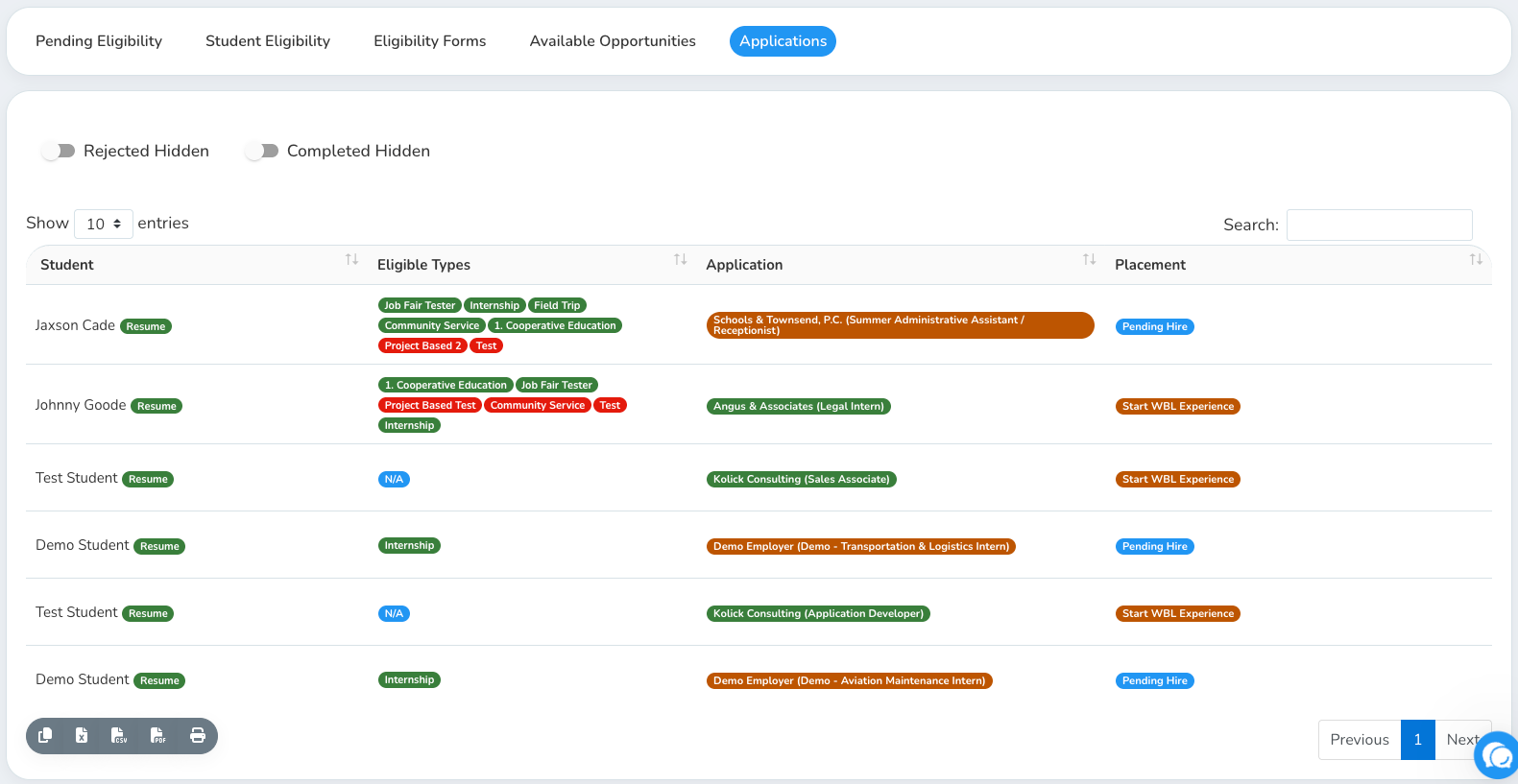
Their application shows Pending Hire until you finalize the hire.
You confirm the hire, which creates a Start WBL Experience action — click it to create their formal WBL Experience record.
Once created, it shows Experience Started.
You can track this whole trail from Work-Based Learning Experience → Applications, which lists each student with their Eligible Types, Application status, and Placement status, and lets you filter by Rejected (shown/hidden) and Completed (shown/hidden).
Place & Hire (direct placement)
Place & Hire is a shortcut available from Match Candidates that skips the interest → approve → apply → hire-report chain entirely. Use it when you've already coordinated a hire with the employer yourself and just need to record it.
From a candidate's card in Match Candidates, click Place & Hire.
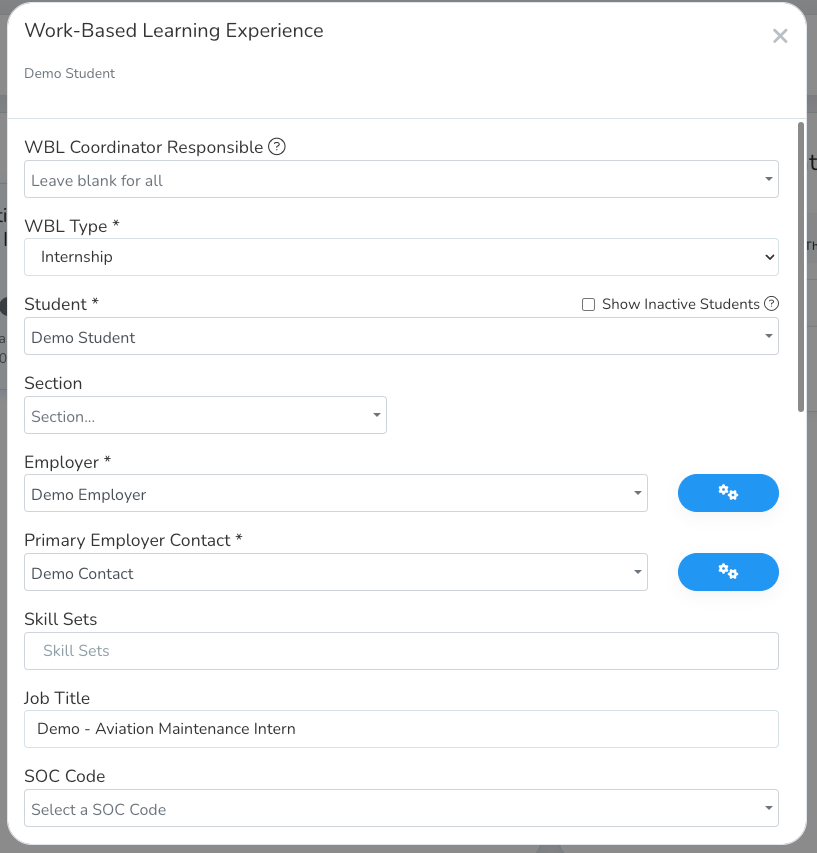
The Work-Based Learning Experience form opens, prefilled with the student, employer, and a suggested WBL type based on the opportunity. Student and employer fields are locked to prevent mismatches, but the WBL Type dropdown stays open — a Select a WBL Type option appears alongside the suggestion, so you can pick a different one if the suggested type isn't right.
Fill in any remaining details and submit.
On success, the student is marked hired, a WBL Experience is created immediately, and they're notified: "You have been placed in a work-based learning experience."
If something needs your attention (for example, the student already has an experience started, or a warning about the match), you'll see a message explaining what happened instead of a silent success.
Requirements for Place & Hire
You must be a member of the Work-Based Learning Coordinator group.
The student must be eligible for the opportunity's WBL type.
An active Student Based WBL type must be selected — one is suggested automatically based on the opportunity, but any active Student Based type can be chosen.
An employer contact is required (create one if needed).