How do I complete a Form Career Planning Activity?
Last updated 6 days ago
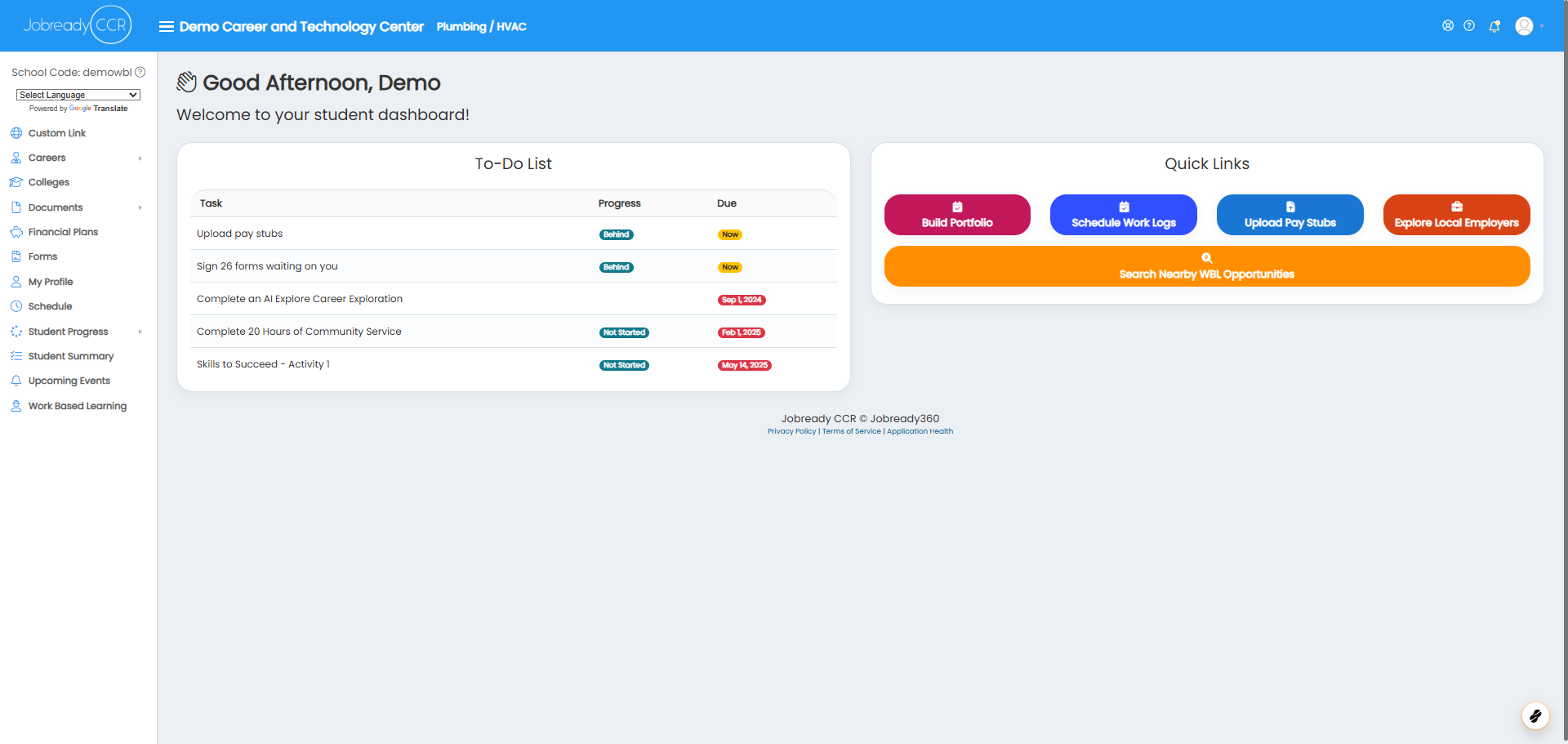
1. To complete a “Form” career planning activity, click the activity in your To Do List or click Careers in the navigation menu.
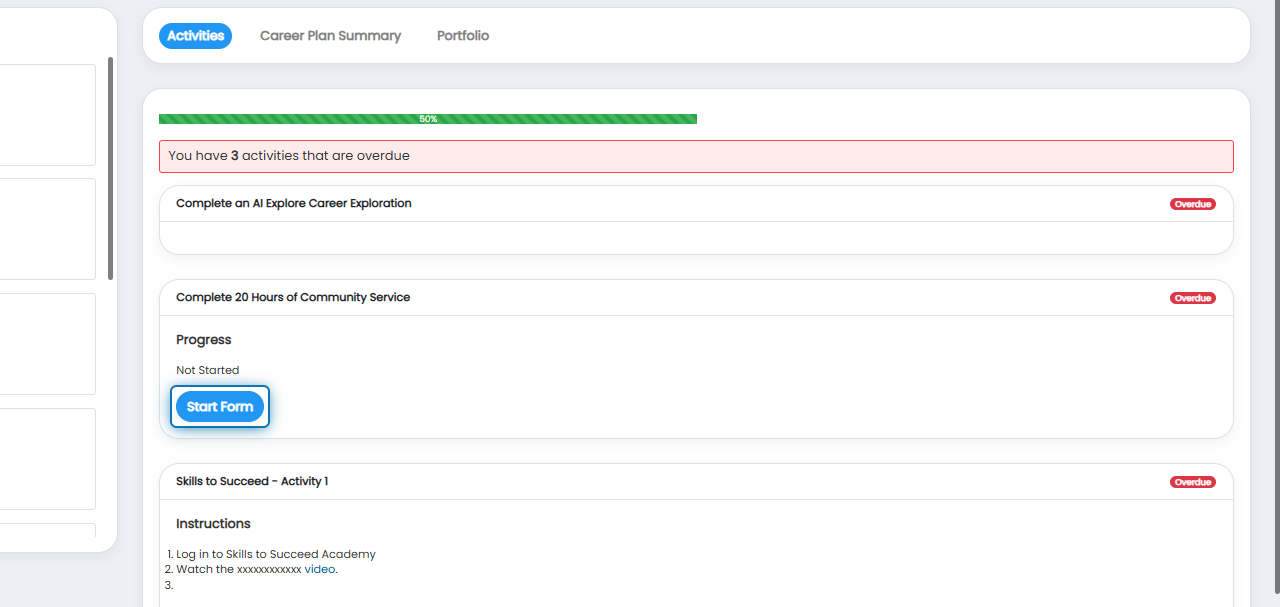
2. Click Start Form on the activity.
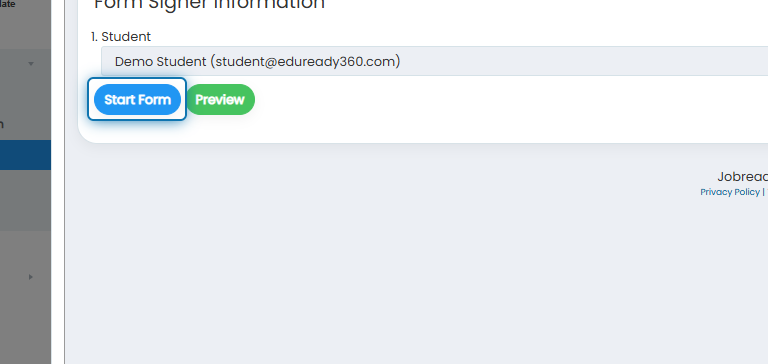
3. Verify the signers in the Form Signer Information window. Click Start Form.
4. Complete the required form fields and click Submit.
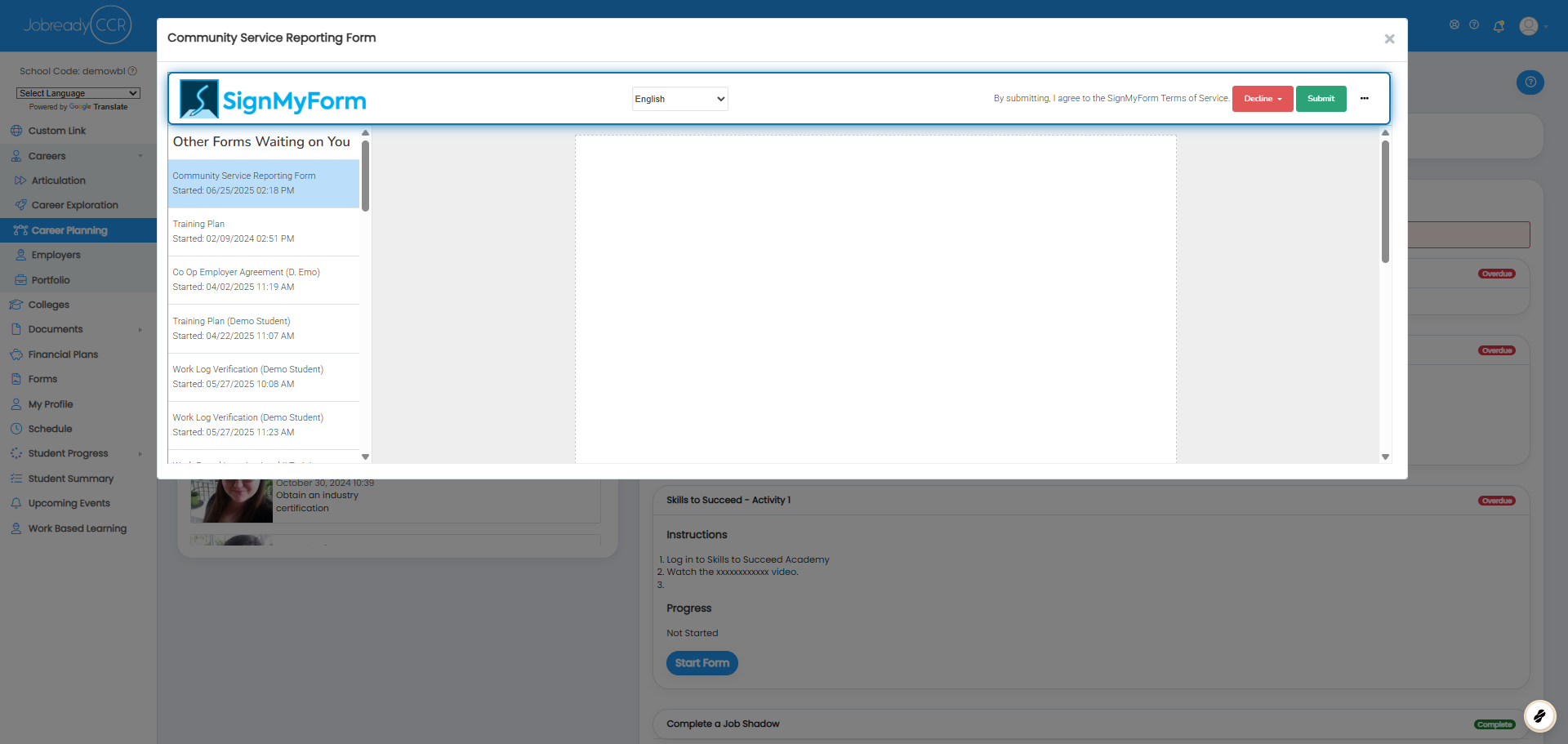
Completion of the Form Career Planning Activity is evaluated when a form is started, completed, or cancelled. The form type completed must match the form type defined by the activity
Was this helpful?
Still need help? Ask the team