How can I see if my students are at work at a glance?
Last updated 6 days ago
1. Navigate to the Work-Based Learning (WBL) Module
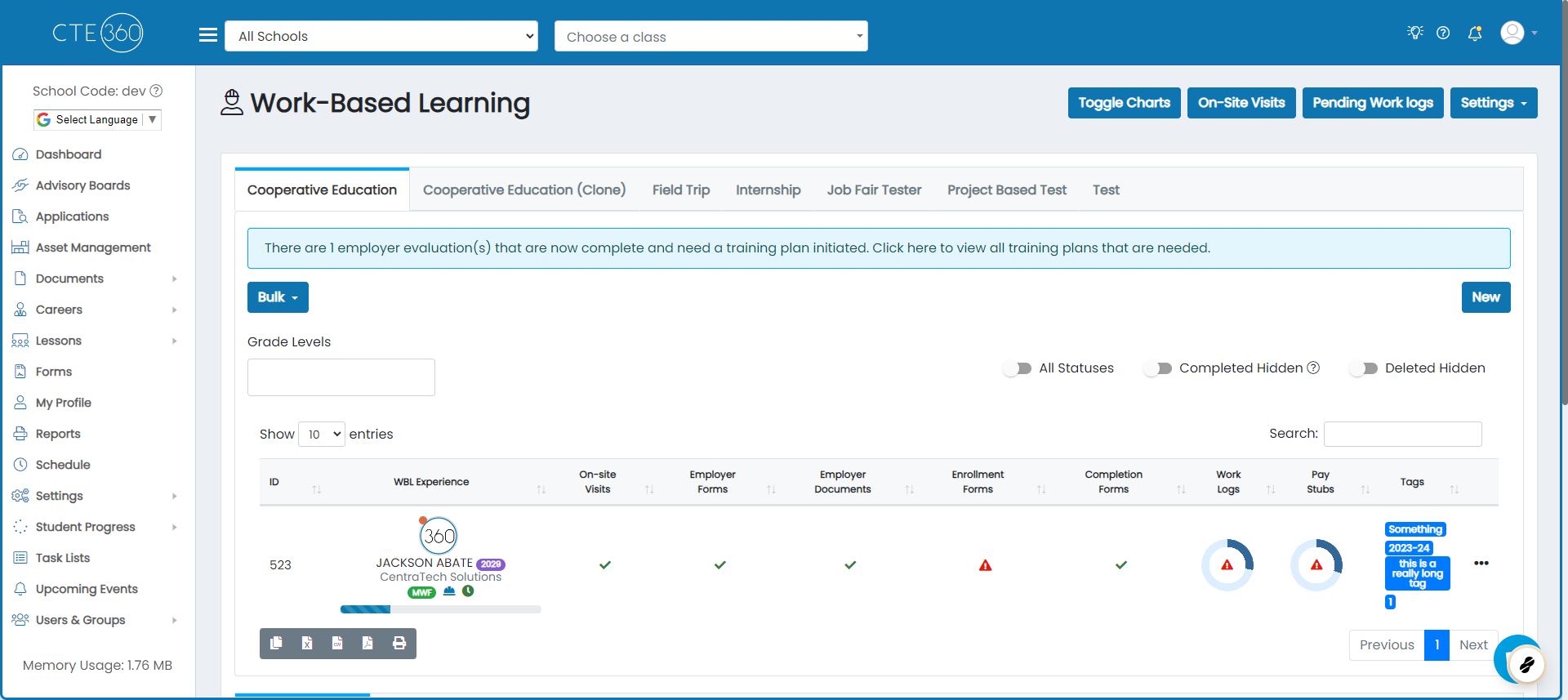
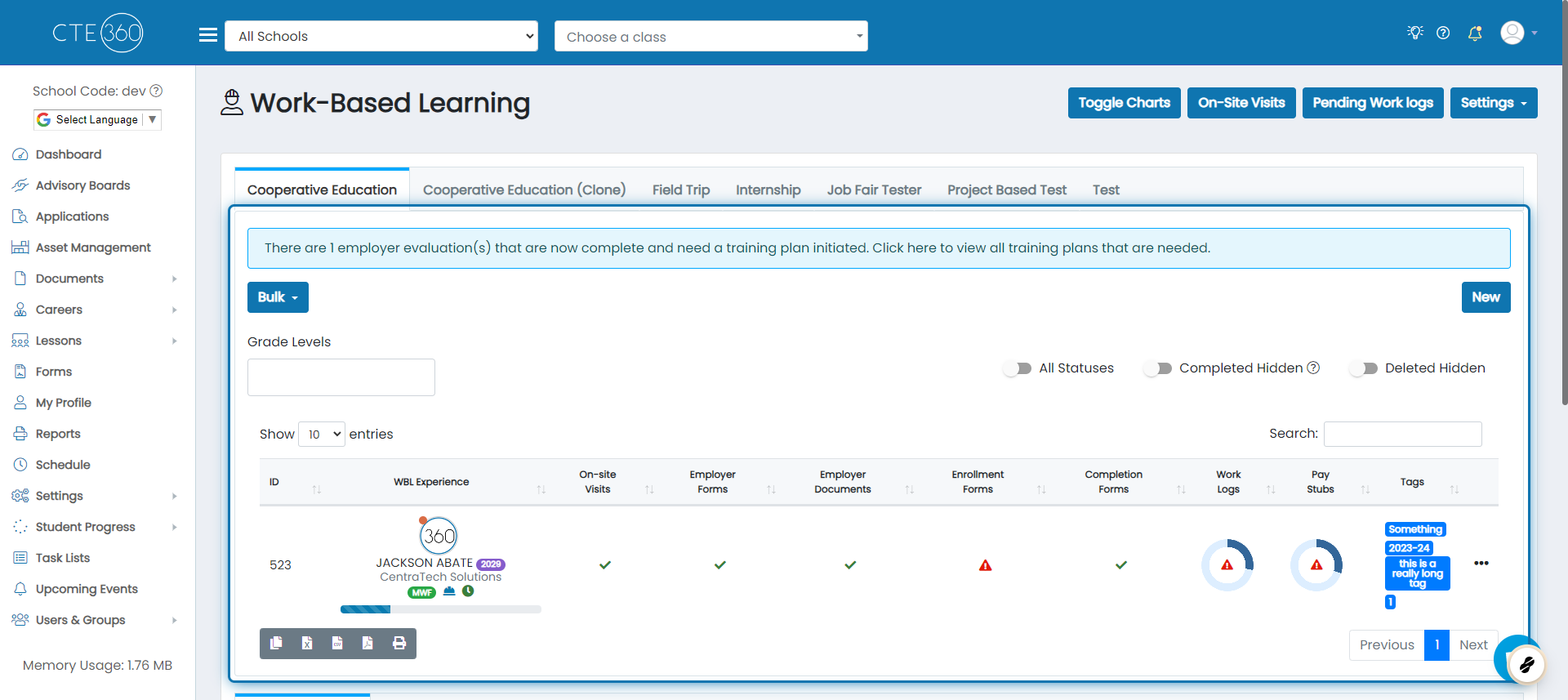
2. After selecting the WBL type, you will see the list of all students with a current experience
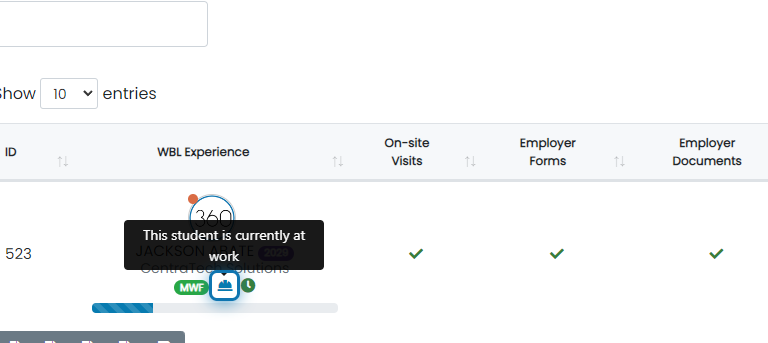
3. If the student has a work log on the calendar for the current time, you will see the following icon
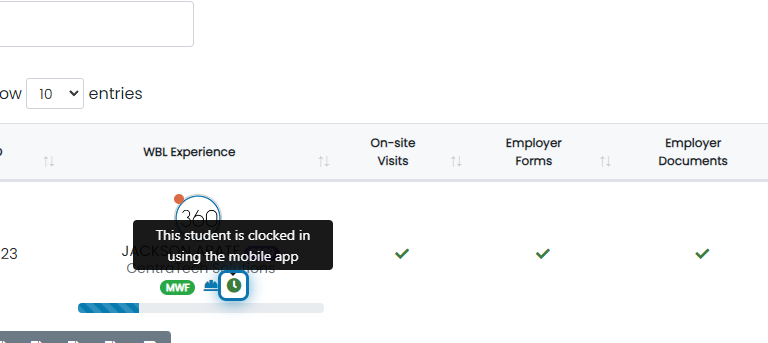
4. If the student is currently clocked into the experience from the mobile app, you will see the following icon
Was this helpful?
Still need help? Ask the team