How do I know if students were actually at the employer's location when they clock in using the app?
Last updated 6 days ago
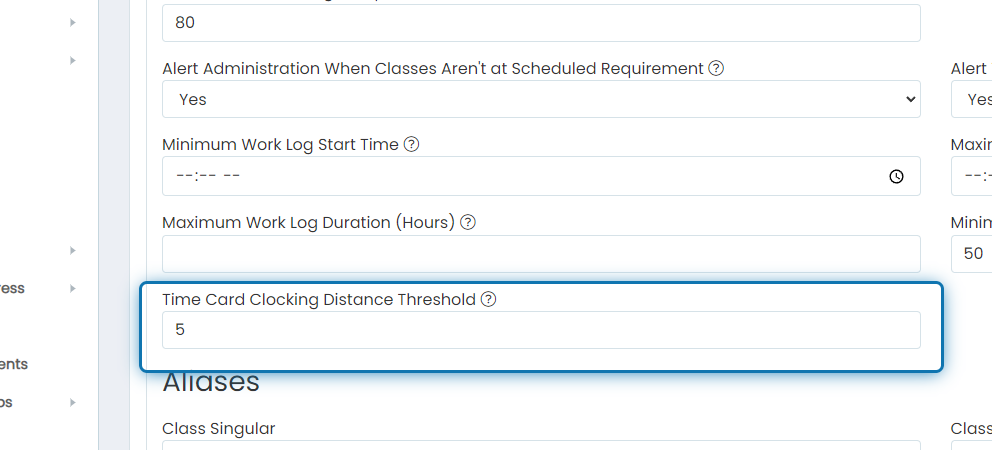
When a student clocks in or out, we get the longitude and latitude of the location they were when they did the clocking event and compare it to the longitude and latitude of their employer's address. If the student clocked in outside the mile threshold in global settings, the appropriate WBL coordinators will receive an alert letting them know the student clocked in/out off-property.
Who gets the alert depends on the experience. If the experience has a WBL Coordinator Responsible, the alert goes only to that coordinator. Otherwise, it goes to the WBL coordinators who have access to that student. If your site uses the school selector, that is limited to coordinators at the student's school or with access to all schools. To make sure each alert goes to one person, turn on Require a WBL Coordinator Responsible in the Work-Based Learning General Settings.
If you'd like to change the mile threshold for alerts going out, follow these steps:
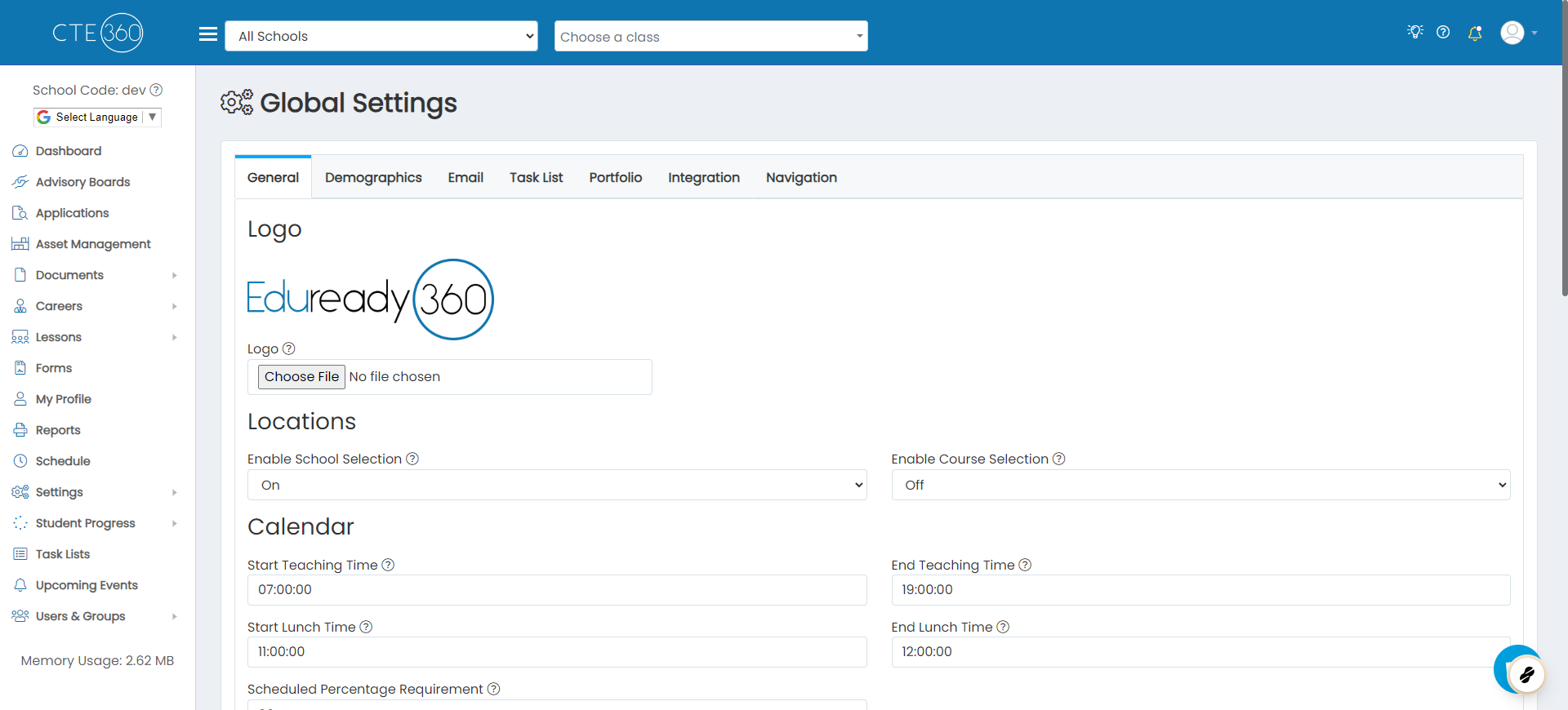
1. Navigate to the global settings page
2. Scroll down to "Time Card Clocking Distance Threshold" and update this value to whatever you want the threshold to be
Was this helpful?
Still need help? Ask the team