How can I add or edit signer roles?
A Role is going to be someone who is not currently in your Jobready account that you want to send forms to (usually a principal, superintendent etc.) This is also useful if you have a Staff account that needs to receive and approve work log verification forms for students. There is no 'staff' signer option currently. There is a 'Teacher' signer option when creating the form but the Staff User will not appear because they are not a teacher account. Creating a Role will allow you add staff members which allows them to be a signer on the work log verification form if configured correctly.
Last updated 6 days ago
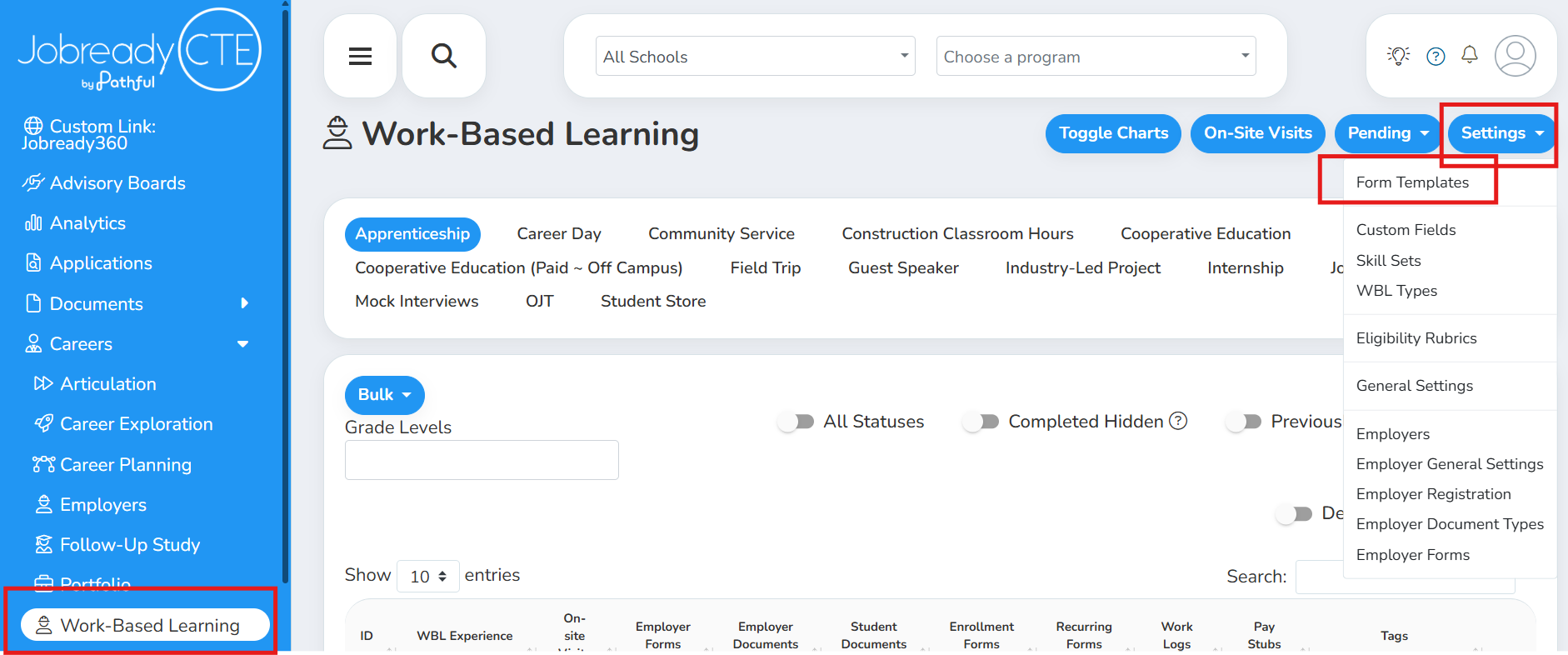
1. Navigate to Work-Based Learning and click into Form Templates
Form templates may also be set to only show in the ‘General Forms’ module. In this instance you will click Forms in your blue menu and then Select Settings in the top right.
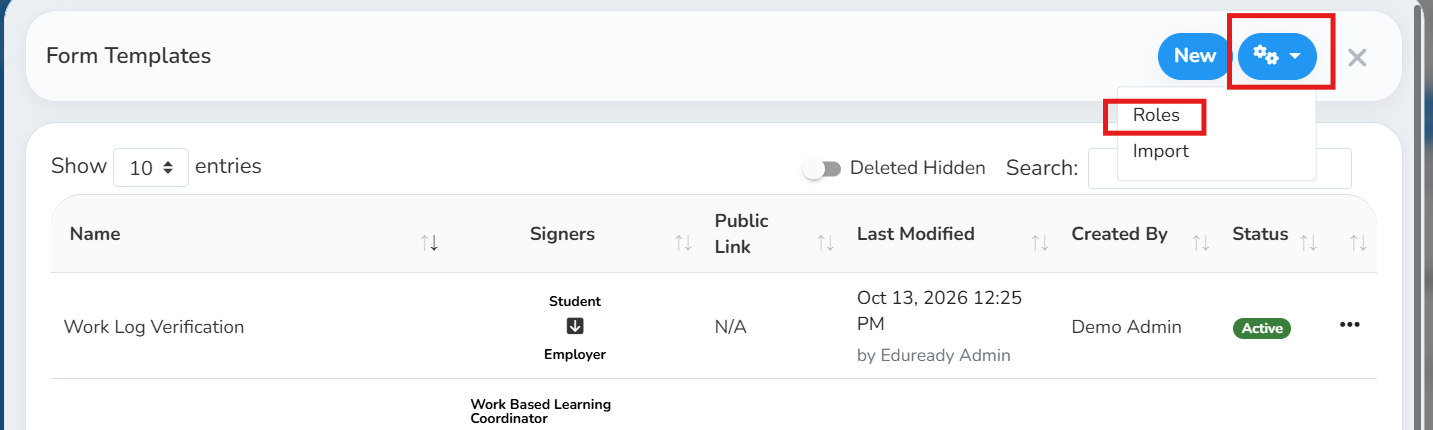
2. Click the gear icon and select ‘roles’
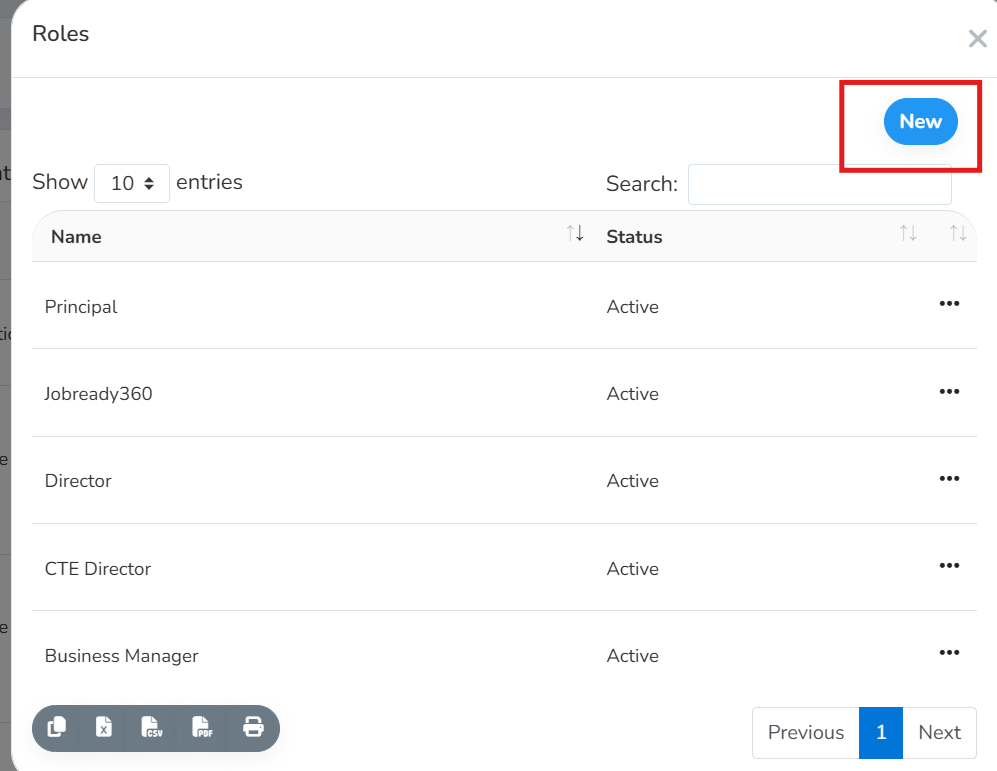
You will see a list of your current roles. You can choose to edit an existing role’s name, add members to an existing role, edit current members and/or create a new role from this page.
To Create a New Role and Add Members:
Click New in the top right corner
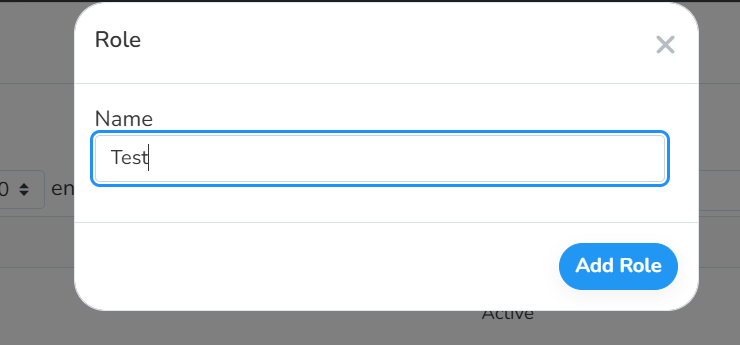
Give this role a name and click save
Add Member(s) to this role by clicking into Members
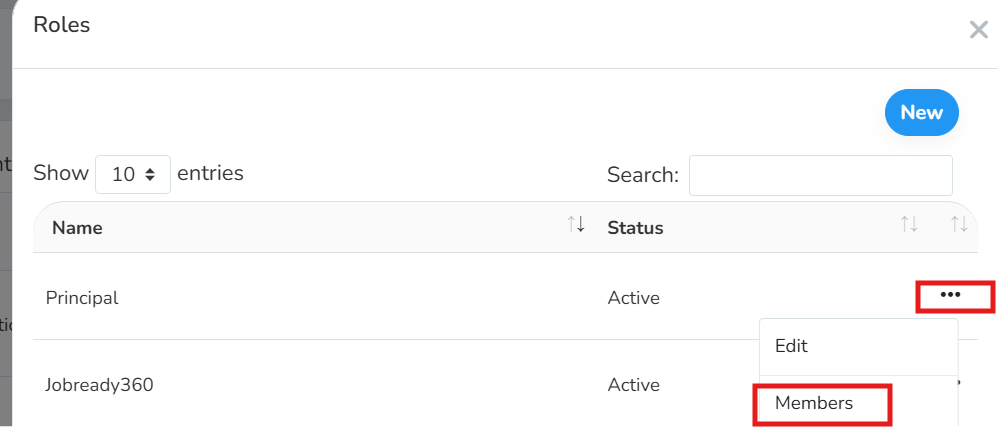
Click New in the top right corner to add a user to this role
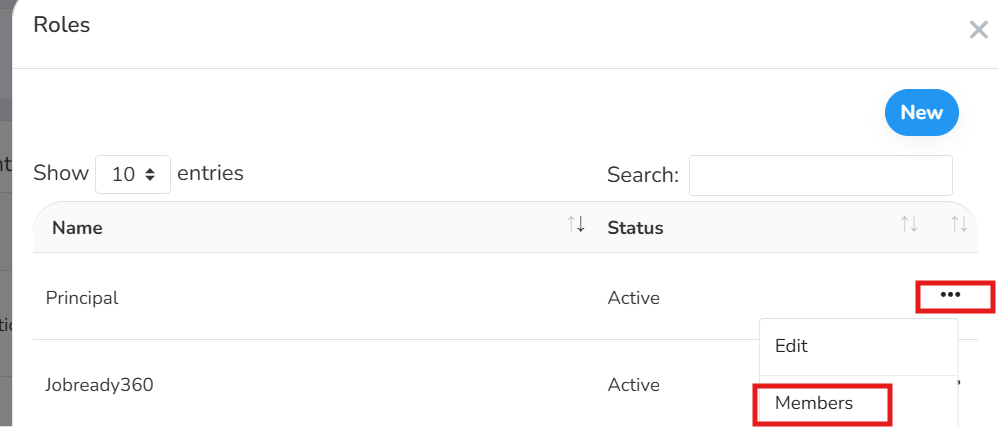
You can add a static user or a System User
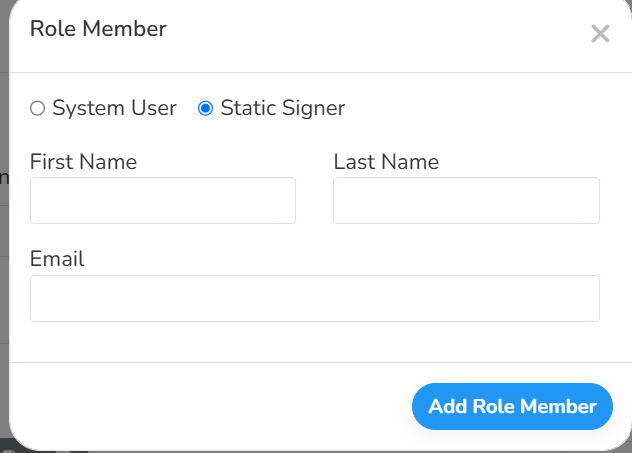
Static signer is going to be a set name and email address
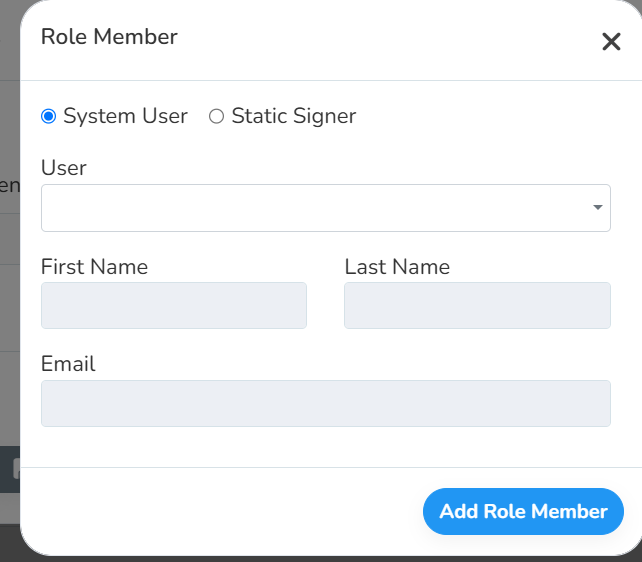
System User is a user account that shows in your Jobready360 account that is brought over from your SIS
For accounts that were created via a SIS sync, this means that if the person’s name changes or their email address is updated, once it’s updated in Jobready360 via the nightly sync, the information will automatically update for your Role.
To Edit Member Information:
Navigate to Members and click the three dots next to the user you wish to edit
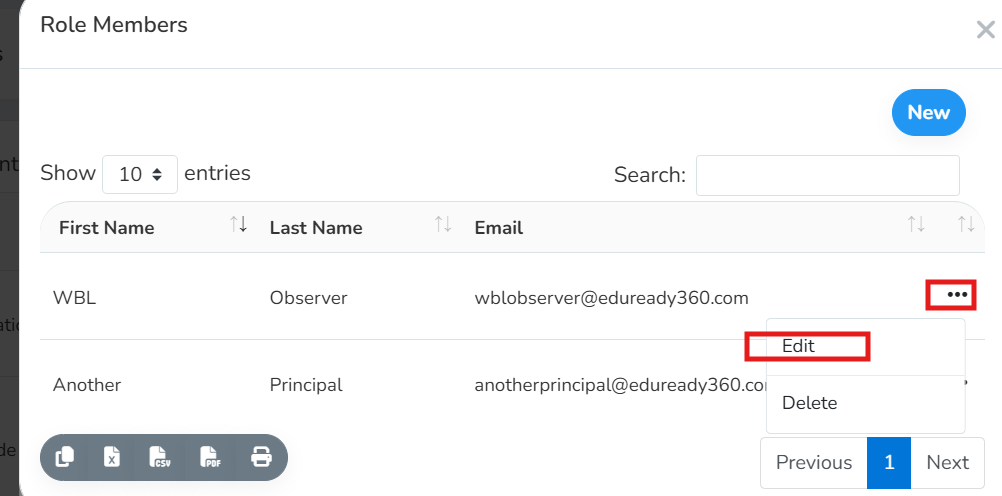
Make the necessary changes and click Save Changes
Was this helpful?
Still need help? Ask the team