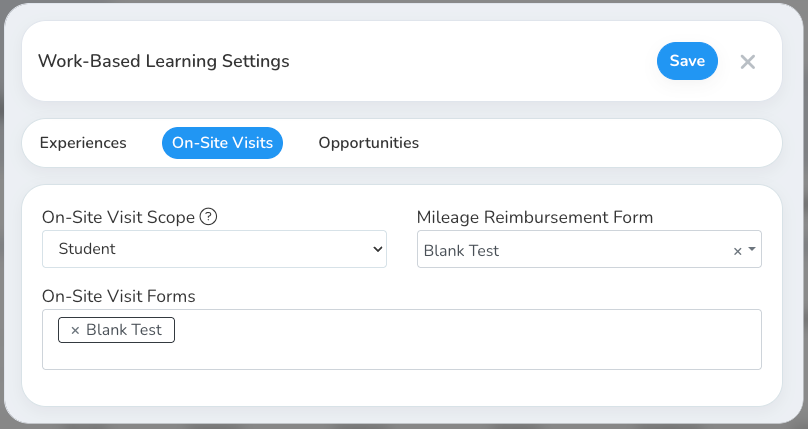
How do I configure general Work-Based Learning settings?
Last updated About 2 months ago
The Work-Based Learning Settings window is organized into three tabs — Experiences, On-Site Visits, and Opportunities — covering how experiences behave, on-site visit requirements, and opportunity search.
You can open these settings from the Work-Based Learning page by clicking Settings → General Settings in the upper right corner.
Opportunities tab
This tab controls what students see when they search for opportunities, and how they're matched:
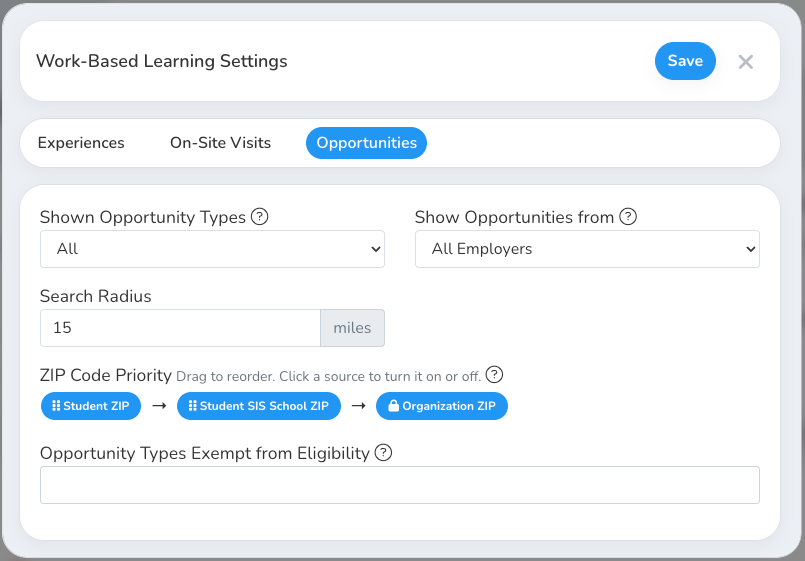
The Search Radius, ZIP Code Priority, and Show Opportunities from controls also appear in Global Settings → Integration, so they stay consistent wherever opportunity search is configured.
Experiences tab
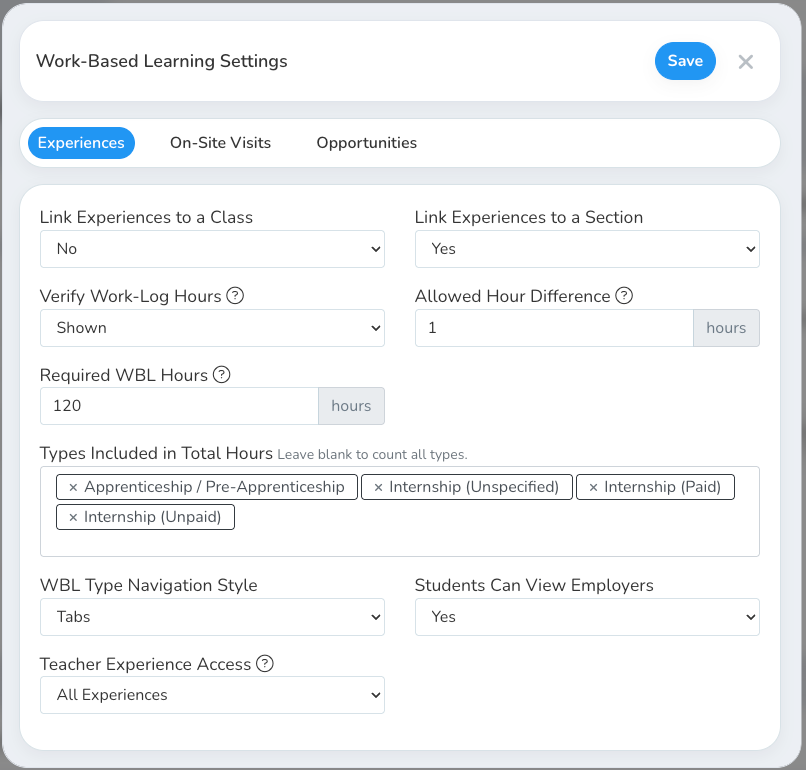
General settings for how WBL experiences behave day to day:
On-Site Visits tab