How do I create a Skill Set?
Create a Skill Set and add skills to it by typing them in, choosing them from ONet, copying them from a task list, or importing a file.
Last updated About 16 hours ago
A Skill Set is a list of skills you can add to a student experience all at once. Create the Skill Set, then add its skills by typing them in, choosing them from ONet, copying them from a Task List, or importing a file.
Note: To add a Skill Set to student experiences, Skill Tracking must be enabled on the WBL Type. Please see How do I turn on Skill Tracking for a WBL Type? for more information.
Creating a Skill Set
Open Skill Sets
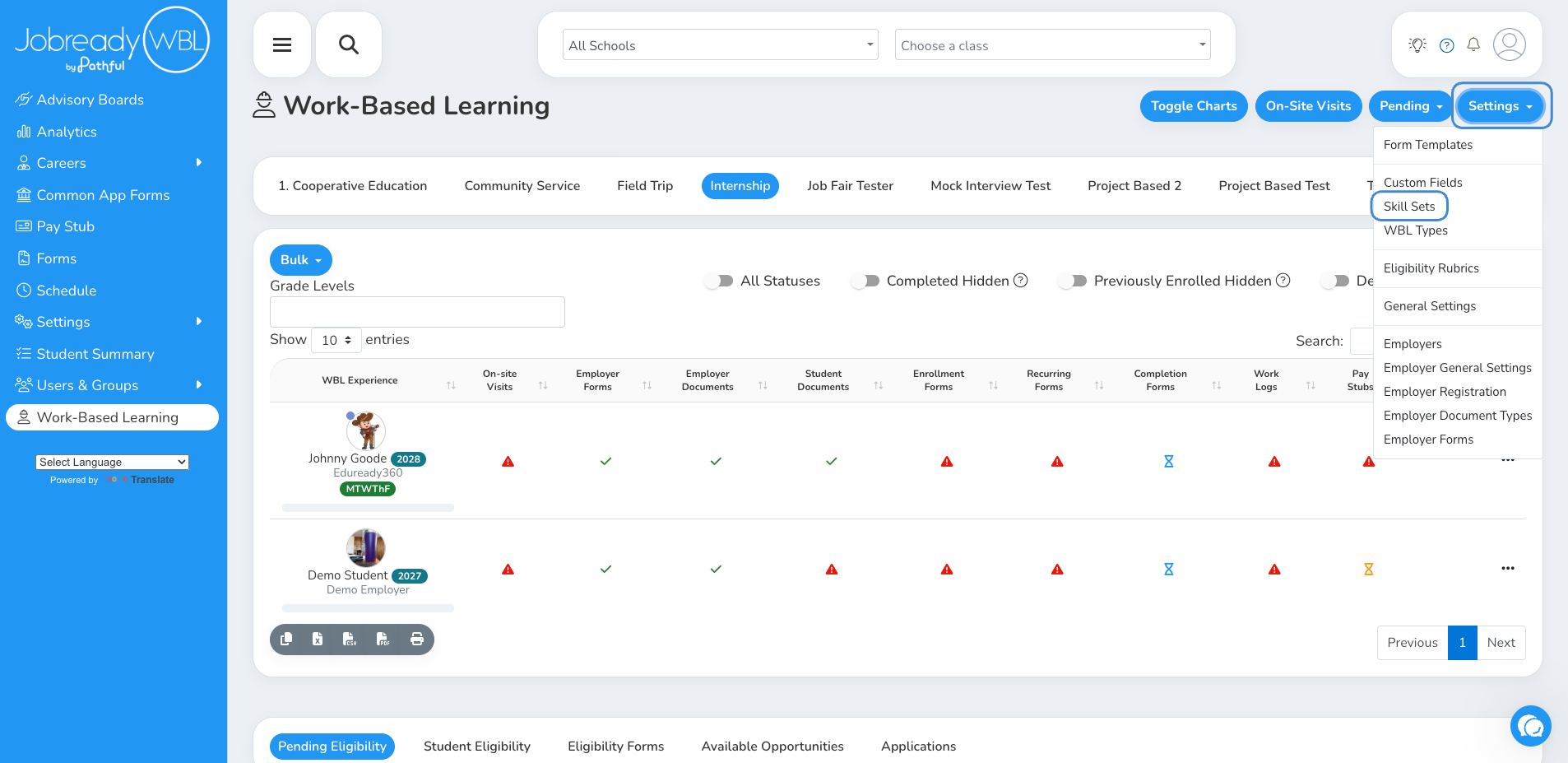
On the Work-Based Learning page, click Settings and choose Skill Sets.
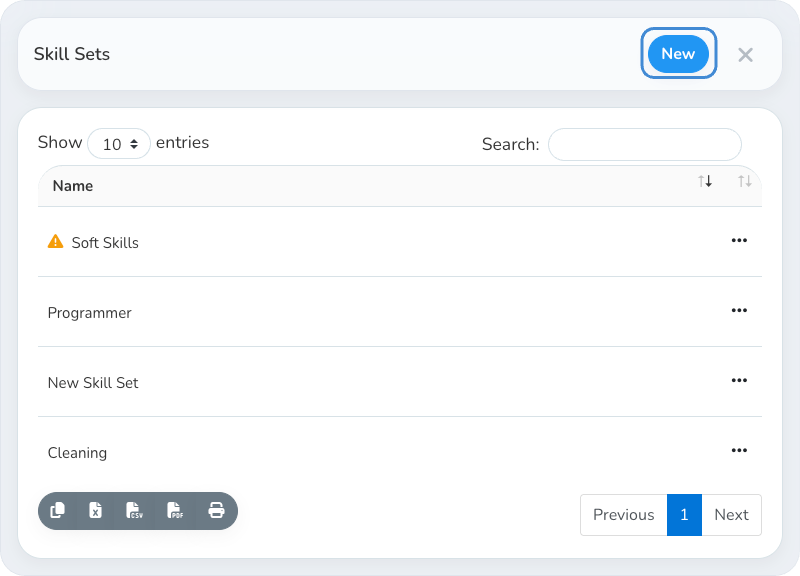
Click New
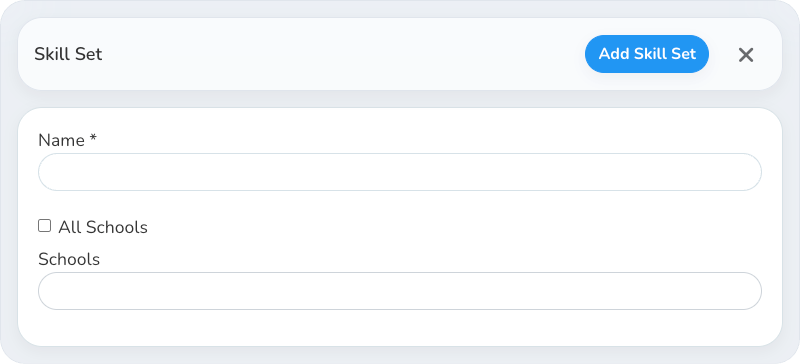
Name the Skill Set and choose its schools
Enter a Name. Keep All Schools checked to make the Skill Set available to every school, or uncheck it and pick the Schools that can use it.
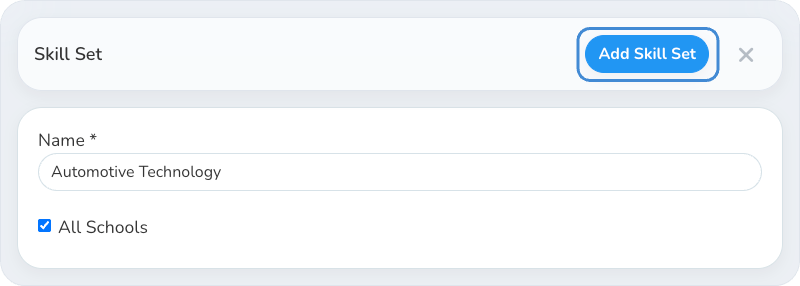
Click Add Skill Set
The new Skill Set shows in the Skill Sets list. It doesn't have any skills yet.
Adding Skills to a Skill Set
Open the Skill Set's skills
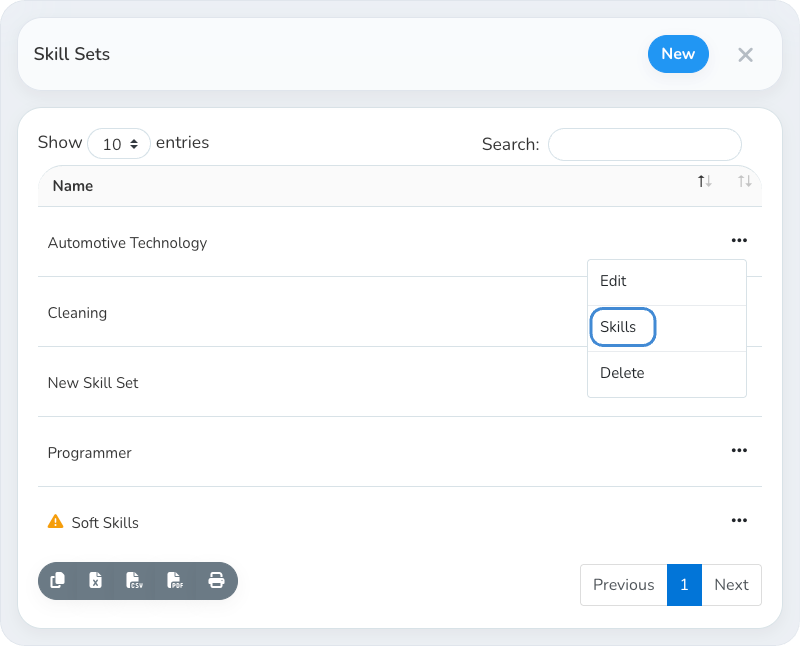
Click the action button next to the Skill Set and choose Skills.
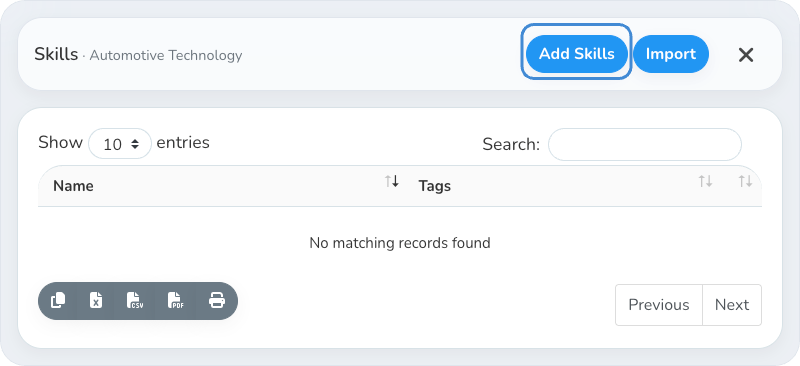
Click Add Skills
To add many skills from a spreadsheet instead, click Import. See How do I import skills into a skill set?
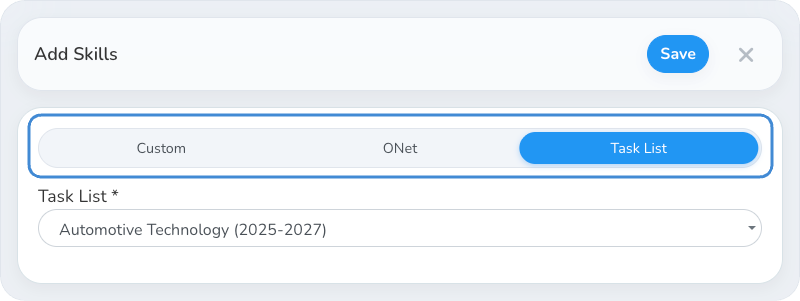
Choose a skills source
Use the tabs at the top of Add Skills to pick Custom, ONet or Task List, then fill in the fields for that source.
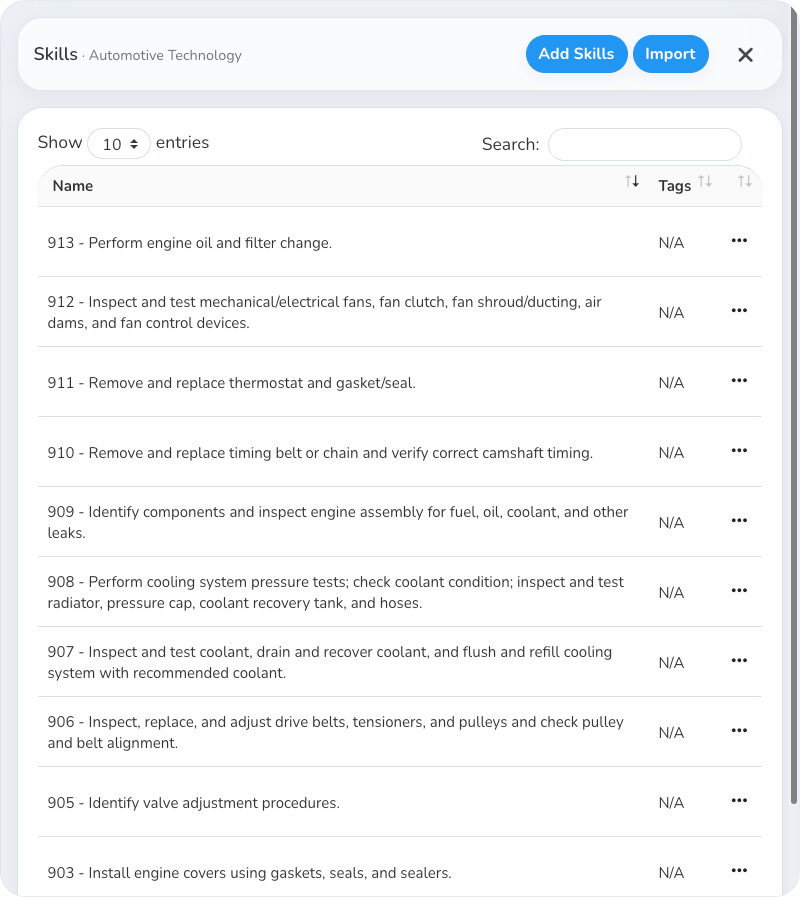
Click Save
The new skills show in the Skill Set. Repeat these steps to add skills from another source.
Changing a Skill Set That's in Use
Changes to a Skill Set don't change the experiences that already use it. When you close the Skills window after adding, editing or deleting skills, you're asked whether to update the active experiences that use the Skill Set. See How do I update active experiences when I change a skill set?
To add your Skill Set to a student experience, see How do I add a Skill Set to a student experience?
Was this helpful?
Still need help? Ask the team