On-Site Visit Status
Use this report to see each WBL experience and the last time someone made an on-site visit. It's a quick way to find students who are due, or overdue, for a workplace visit.
Last updated About 8 hours ago
Available in: Jobready CTE, Jobready CCR, Jobready WBL
Filters
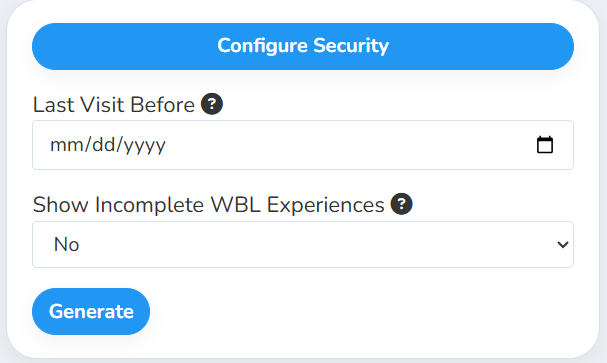
All filters are optional. Leave them as they are to see every active experience.
What's in the file
One row per WBL experience, with these columns:
Good to know
Your visit settings decide what counts. Under WBL settings, On-Site Visit Scope controls the Last On-Site Visit Date. With Student (the default), only visits that included that student at that employer count. With Employer, any visit to that employer counts for every student placed there.
Find overdue visits fast. Set Last Visit Before to a date like 30 days ago to list experiences that haven't had a visit since, along with any that have never had one.
Experiences without an employer contact still appear. The contact columns show N/A.
Your access applies. The report only includes students you have access to, and it uses your selected school and class.
Student data: This report lists student names alongside their employer, employer contact details and assigned coordinator.
Related reports
On-Site Visit Export: see the visits themselves, with observations, miles and tolls
Student-Based Experience Export: export full details for each experience
Was this helpful?
Still need help? Ask the team