Careers / WBL reports

Employer Contacts

Use this report to export your employer partners and the people you work with at each one, with contact details, tags and document status. It's handy for outreach, mail merges and keeping your contact list up to date.

Last updated About 8 hours ago

Available in: Jobready CTE, Jobready CCR, Jobready WBL

File type

CSV

Default access

Cooperative Education Coordinators, Work Based Learning Observers and administrators (change who has access)

Filters

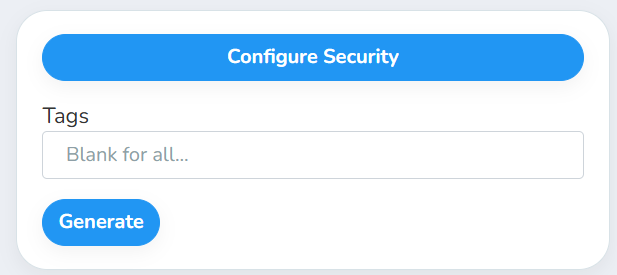
The filter is optional. Leave it blank to include every employer.
Filter

What it does

Tags

Include only employers that have at least one of these employer tags

What's in the file

One row per employer contact. An employer with no contacts still gets one row, with N/A in the contact columns.

Column

What it shows

Employer Name

The employer's name

DBA

The employer's "doing business as" name

Address 1 / Address 2 / City / State / Zip

The employer's address

Website

The employer's website

Fax

The employer's fax number

Non-Profit

Yes or No

Employer Opportunity Types

Opportunity types the employer offers

Career Cluster

The employer's career cluster

Career Pathway

The employer's career pathway

Industry Sector

The employer's industry

Employer Tags

Tags on the employer, separated by |

First Name / Last Name

The contact's name

Title

The contact's job title

Email / Secondary Email

The contact's email addresses

Cell Phone / Work Phone

The contact's phone numbers

Preferred Contact Method

How the contact prefers to be reached

Employer Notes

Notes on the employer

Contact Notes

Notes on the contact

Contact Opportunity Types

Opportunity types this contact can help with

Contact Tags

Tags on the contact, separated by |

Created On

When the contact was added

Last Active

Present if the contact has an experience with no end date or one that ends in the future. Otherwise the most recent end date of an experience they were the contact for, or Never

Document columns

Two columns for each employer document type: <Document> (Yes or No) and <Document> Expiration (the expiration date, or N/A)

Good to know

  • The Tags filter uses employer tags, not contact tags. Every contact at a matching employer is included.

  • Deleted employers, contacts and experiences are left out.

  • The report covers your whole district. It includes every employer and contact, no matter which school or class you have selected.

Student data: This report doesn't list students. It includes employer contacts' names, email addresses, phone numbers and notes.

Related reports