Careers / WBL reports

Total Hours By WBL Type

Use this report to see each student's work-based learning hours split out by WBL type, with totals for event, self-reported, project, pay stub and work log hours. It's the best single view of how many hours each student has earned.

Last updated About 9 hours ago

Available in: Jobready CTE, Jobready CCR, Jobready WBL

File type

CSV

Default access

Cooperative Education Coordinators, Work Based Learning Observers and administrators (change who has access)

Filters

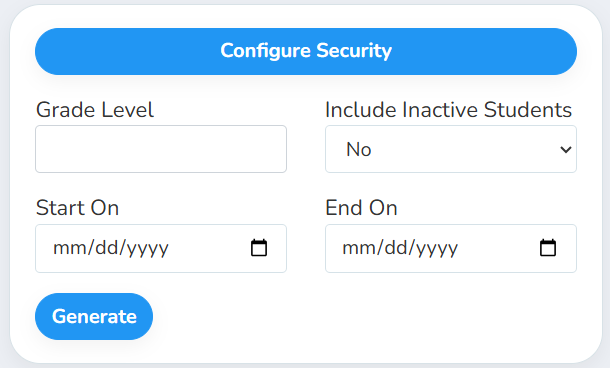
All filters are optional. Leave them blank to include all students and all dates.
Filter

What it does

Grade Level

Include only students in these grade levels

Include Inactive Students

Choose Yes to also include students who have been removed. The Status column shows Deleted for them.

Start On / End On

Count only hours dated on or between these dates. Both days are included.

What's in the file

One row per student who has any WBL activity: a student-based experience, attendance at a WBL event, or project hours. Rows are sorted by last name and first name.

Column

What it shows

First Name

The student's first name

Middle Name

The student's middle name

Last Name

The student's last name

Grade Level

The student's grade level

Program

The class on the student's WBL experience, or their class enrollment if the experience has none. The header uses your site's name for classes.

School

The student's school

SIS Number

The student's local ID

State Number

The student's state ID

Email

The student's email

CTE Teachers

Teachers of the classes the student is in now

Status

Active or Deleted

Starting WBL Hours

The Starting WBL Hours entered on the student's profile, or 0

Continuum

Michigan sites only. The continuum codes for WBL types where the student has hours in the date range.

One column per WBL type

The student's hours for that type, named like "Job Shadow Hours". Student-based types get two columns, such as "Internship Pay Stub Hours" and "Internship Work Log Hours".

Total Self-Reported Hours

All self-reported hours

Total Event Hours

All event hours

Total Project Hours

All project hours

Total Pay Stub Hours

All pay stub hours

Total Work Log Hours

All work log hours

Which hours count for each kind of WBL type

WBL type kind

Hours counted

Date used

Event

The hours awarded for each event the student attended. If the event has no hours awarded, its length minus breaks.

Event start date

Self-Reported

Approved self-reported entries

Entry start date

Student Based (Pay Stub Hours)

Approved pay stubs

Pay date

Student Based (Work Log Hours)

Approved work log entries

Entry start date

Project Based

Every project hour entry

Hours date

Good to know

  • Pay stub hours and work log hours aren't added together. They often cover the same time, so they're kept in separate columns. Pick the one your program uses.

  • Starting WBL Hours isn't included in the totals. Add it yourself if you want a student's full balance.

  • Students stay listed even with 0 hours in the date range. The dates limit which hours are counted, not which students appear.

  • Pending and rejected entries aren't counted for self-reported hours, pay stubs and work logs. Only event attendance marked present counts toward event hours.

  • Your access applies. The report only includes students you have access to. It also uses your selected school and class.

Student data: This report lists student names, emails, local and state student numbers, grade levels, schools, classes and teachers.

Related reports