How do I provide setup information in onboarding?
Last updated 6 days ago
1. Click on Setup Information
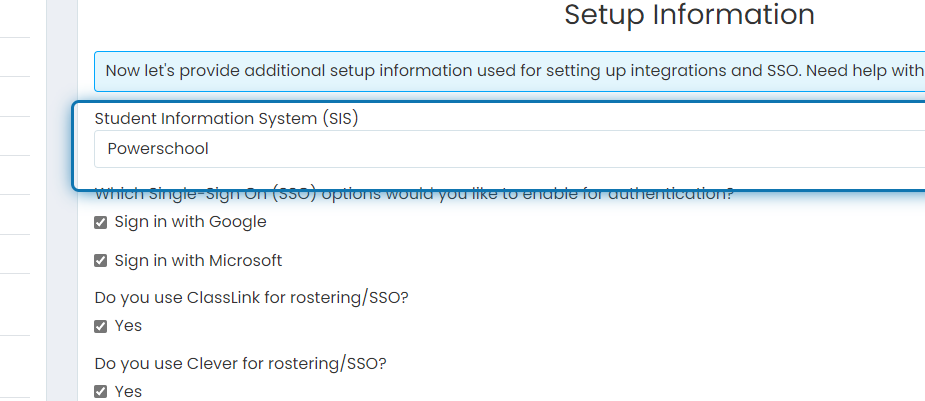
2. Let us know which SIS your school uses
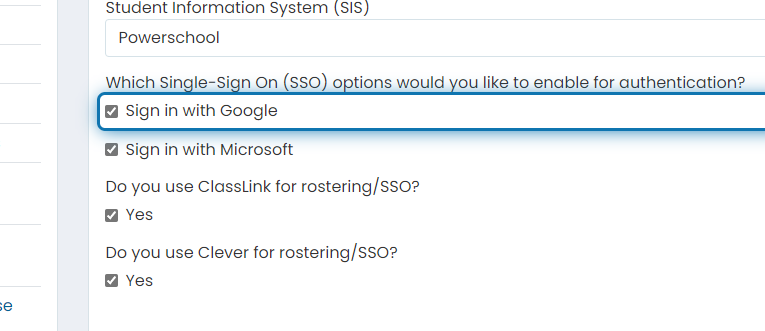
3. Check this box if you'd like users to log in using Google sign in
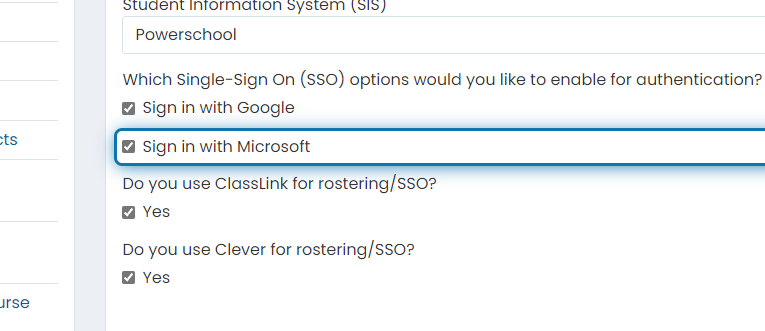
4. Check this box if you'd like users to log in using Microsoft sign in
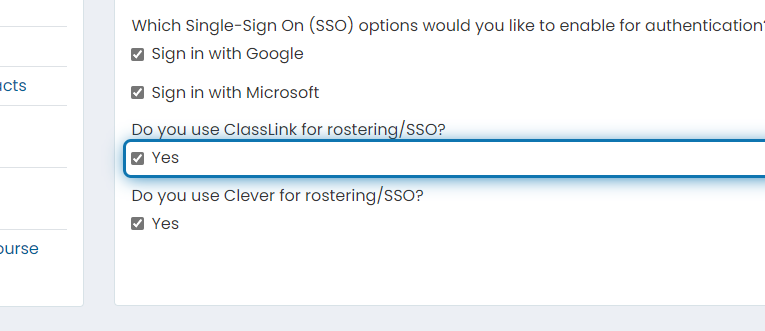
5. Check this box if your school uses Classlink for rostering
6. Check this box if your school uses Clever for rostering
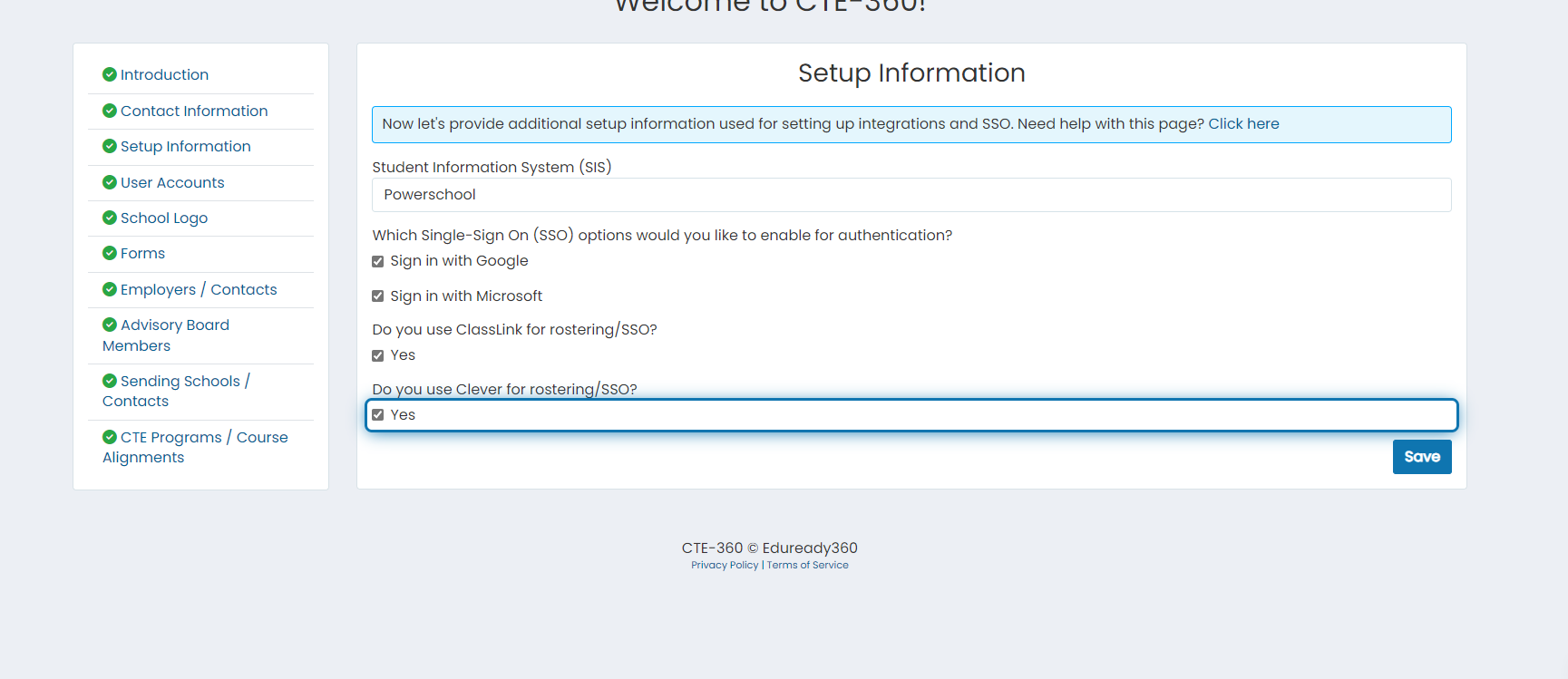
7. Click on Save
Was this helpful?
Still need help? Ask the team