What does it mean to make a form template private?
Last updated 6 days ago
When a form template is made private, all that means is that the creator of the template and administrative users are the only ones that can modify the template. Any one can use the template and submit the template if they need to, just not modify it.
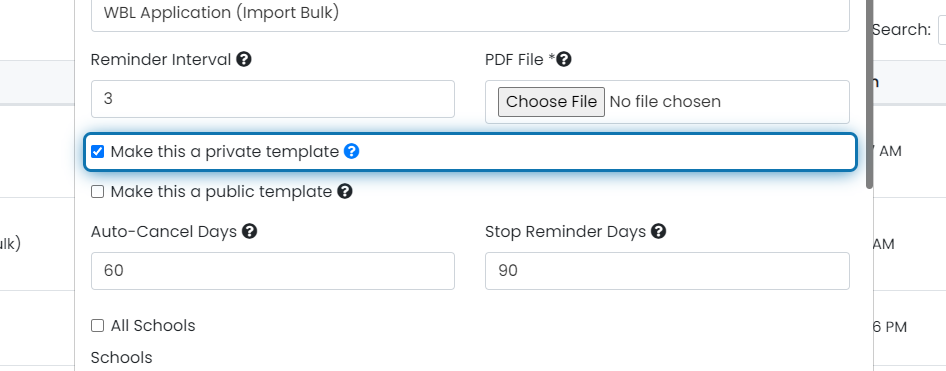
1. You can set a template as private by editing an existing template or creating a new one

2. Check the "Make this a private template" checkbox to make it private
If you are editing an existing template and you do not see this checkbox, you are likely not the original creator of the form therefor you cannot make it private.
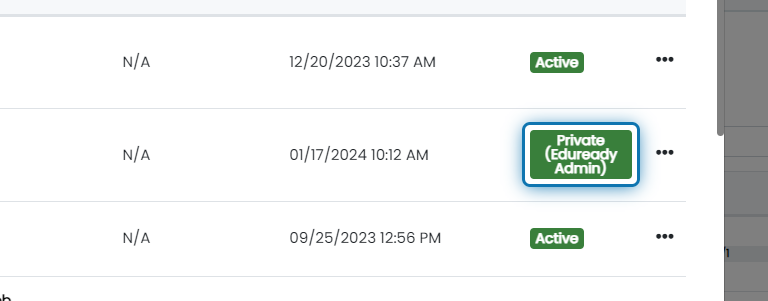
3. Status switches to private and shows the creator
After setting a template to private, the status for the template will change and the creator of the form will be shown in parenthesis.
Was this helpful?
Still need help? Ask the team