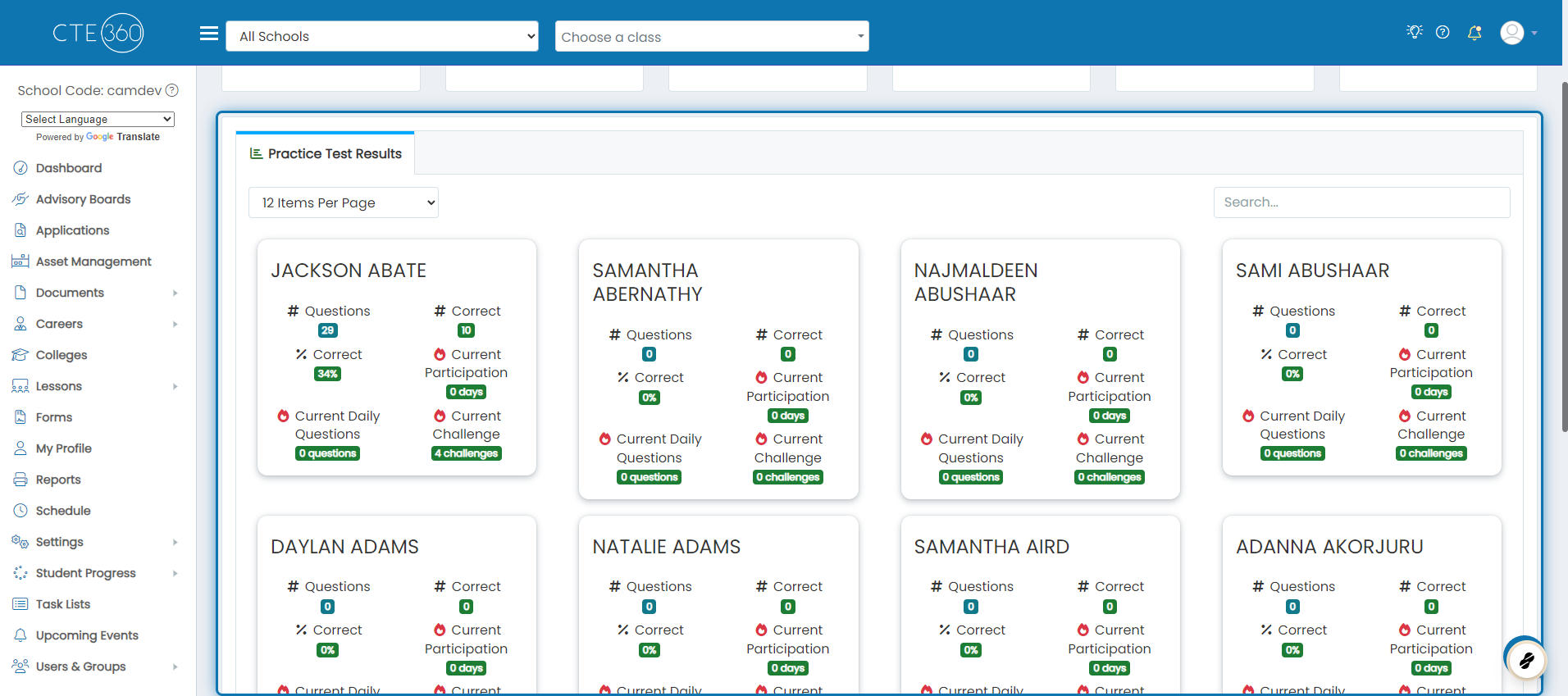
How can I see my students' practice question streaks and statistics?
Last updated Over 1 year ago
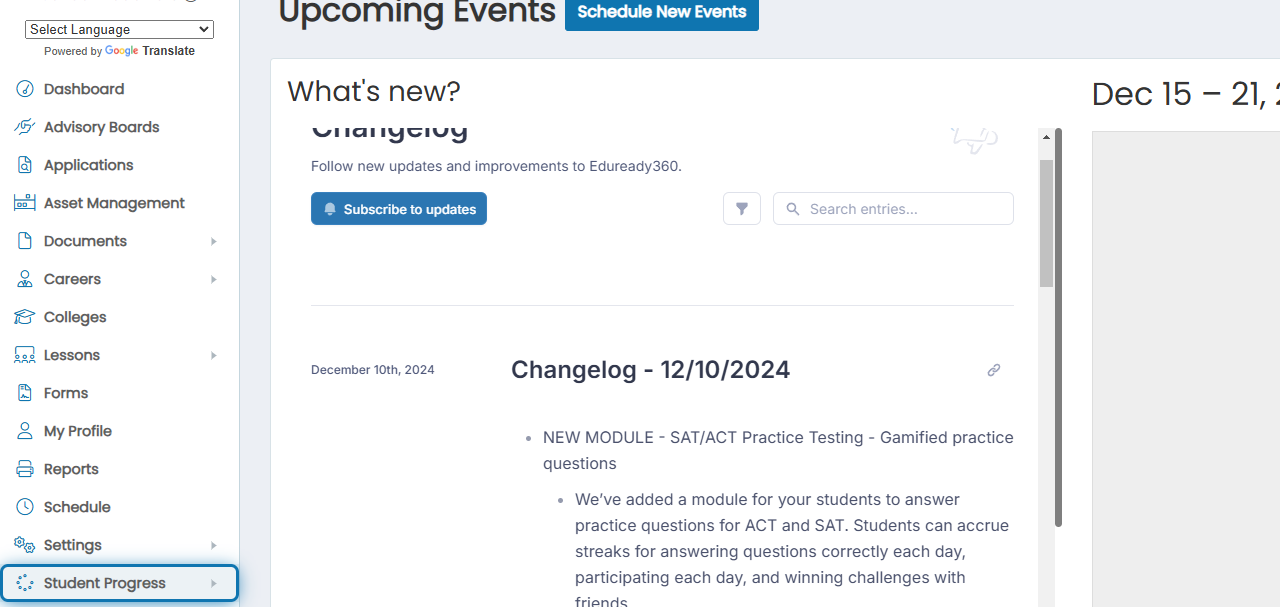
1. Click Student Progress in the navigation menu
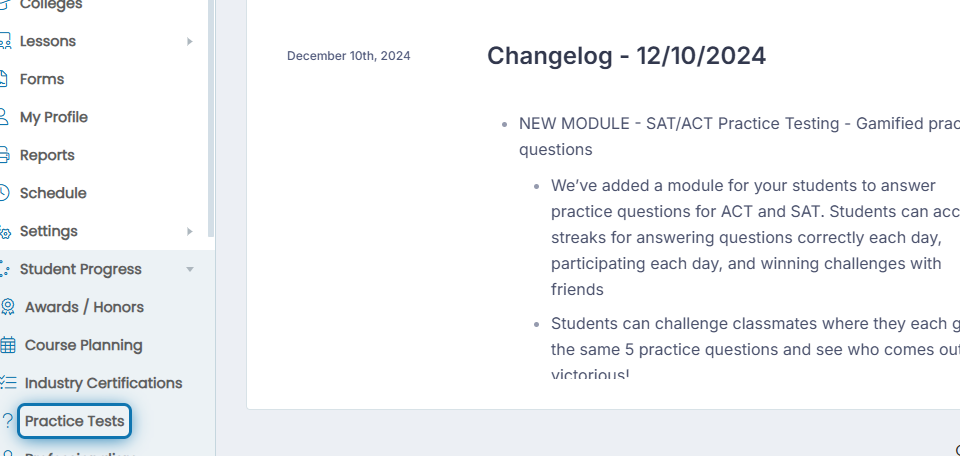
2. Click Practice Tests in the expanded list
3. At the top, you will see a series of stats. This is summary data of all the students you have access to.
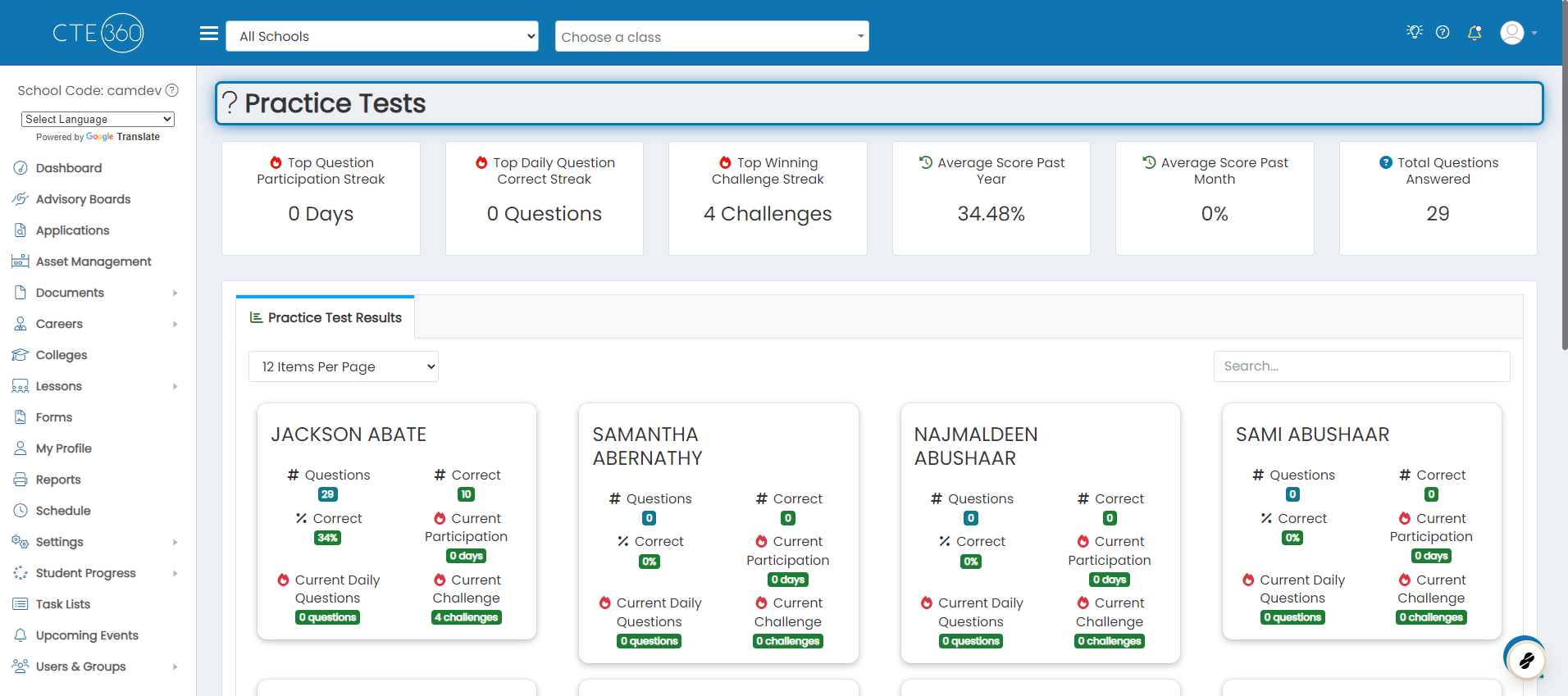
4. In the tab below, you can see all of the students you have access to and statistics about their participation in practice tests