How do sending school counselors manage student applications?
Last updated 6 days ago
1. Navigate to the Applications Module
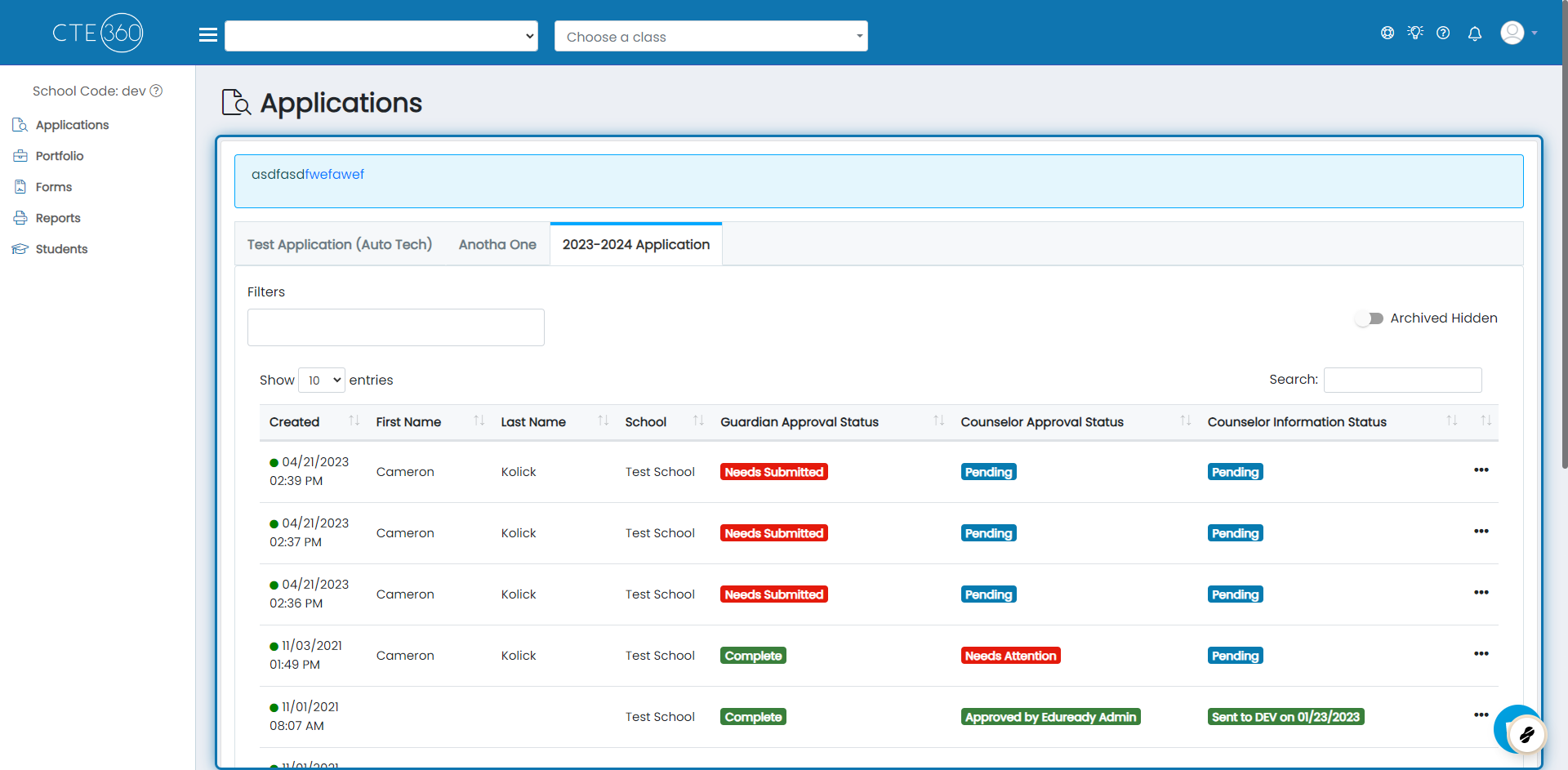
2. Choose the student application template you'd like to see students for
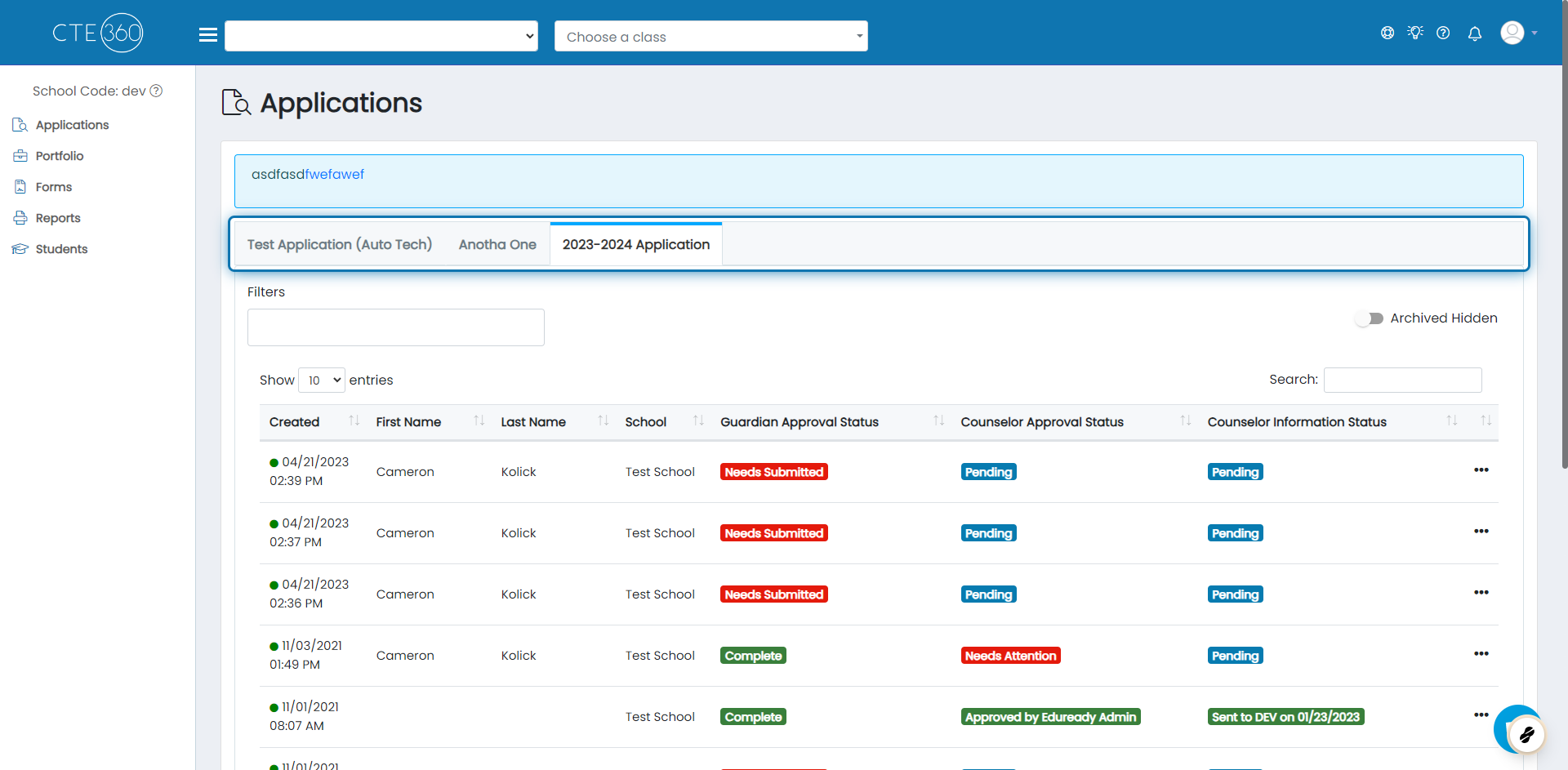
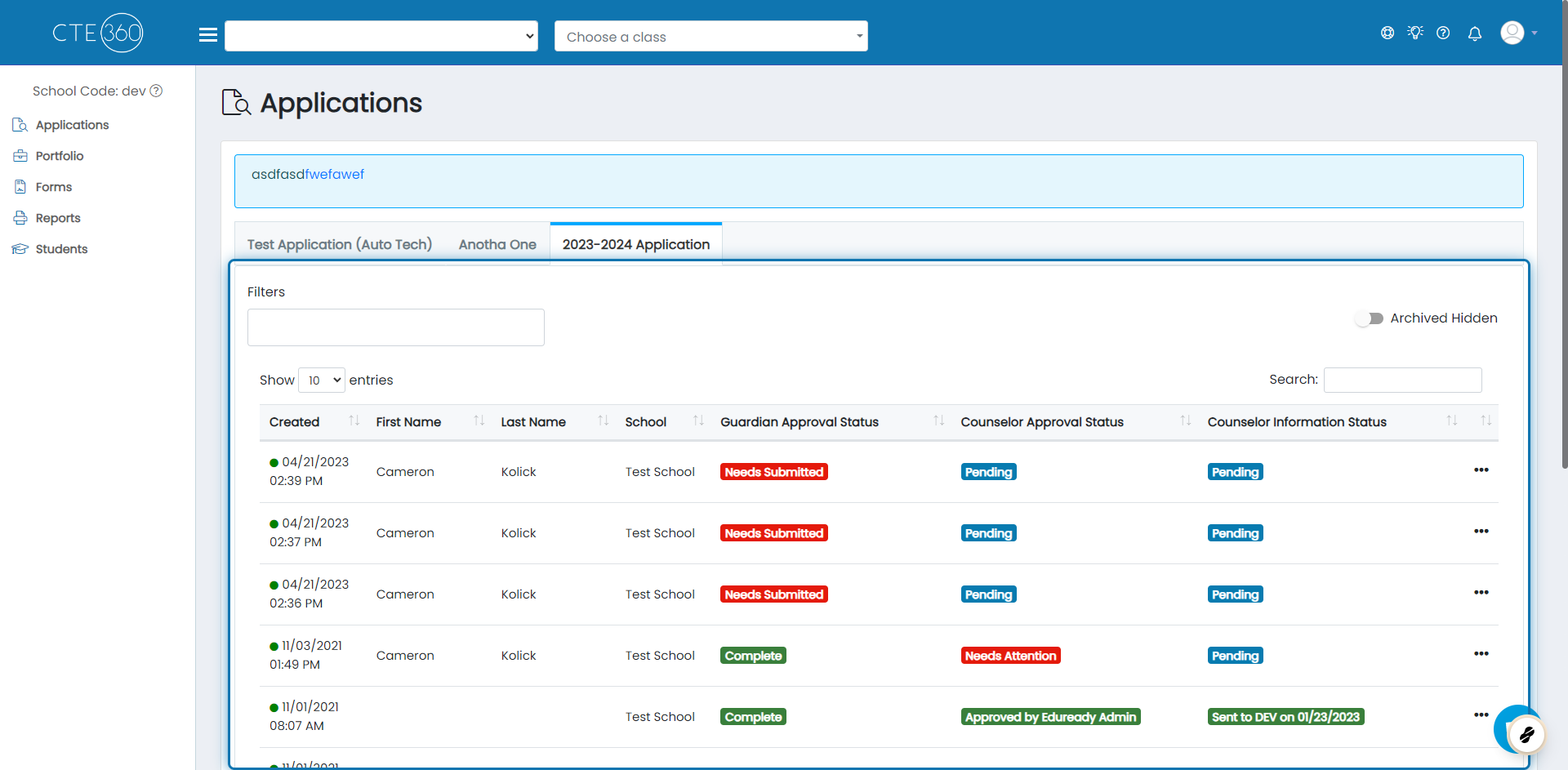
3. Here you will see all of the students from your school that applied
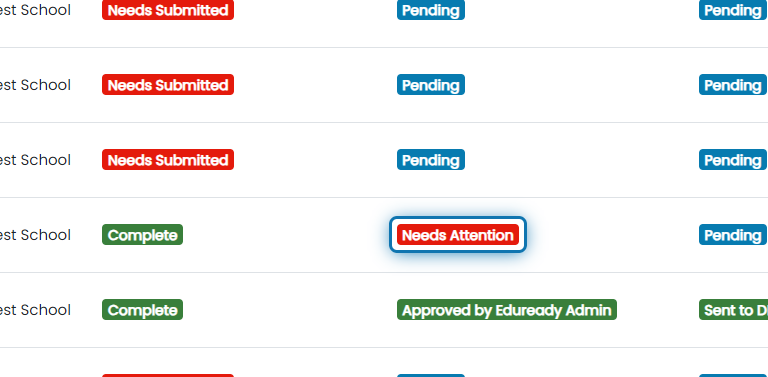
4. If you need to approve/reject an application, you will see "Needs Attention" in the "Counselor Approval Status" column
Click on the badge to review the application.
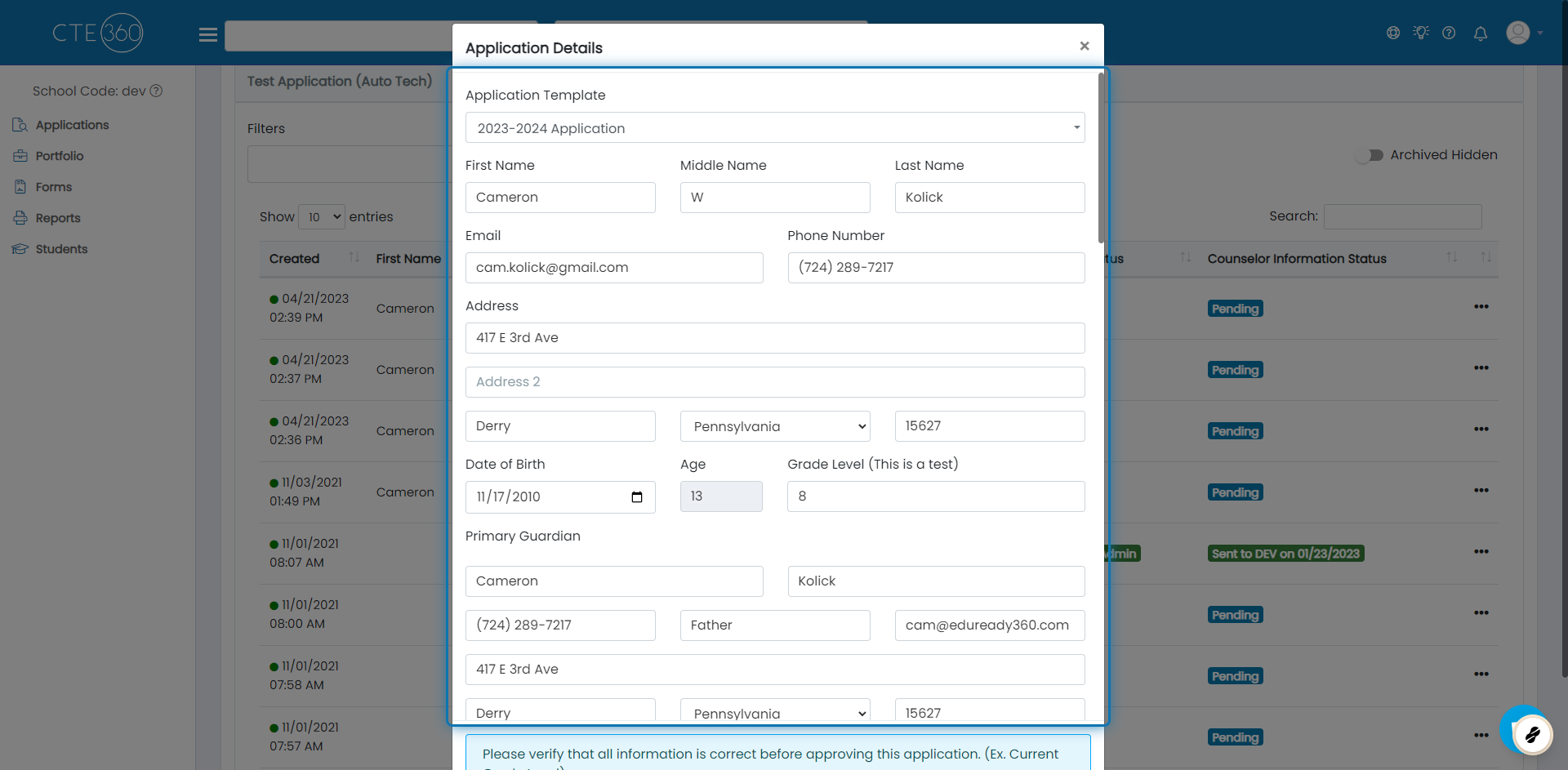
5. Application details
You will be able to see all of the details the student submitted with their application.
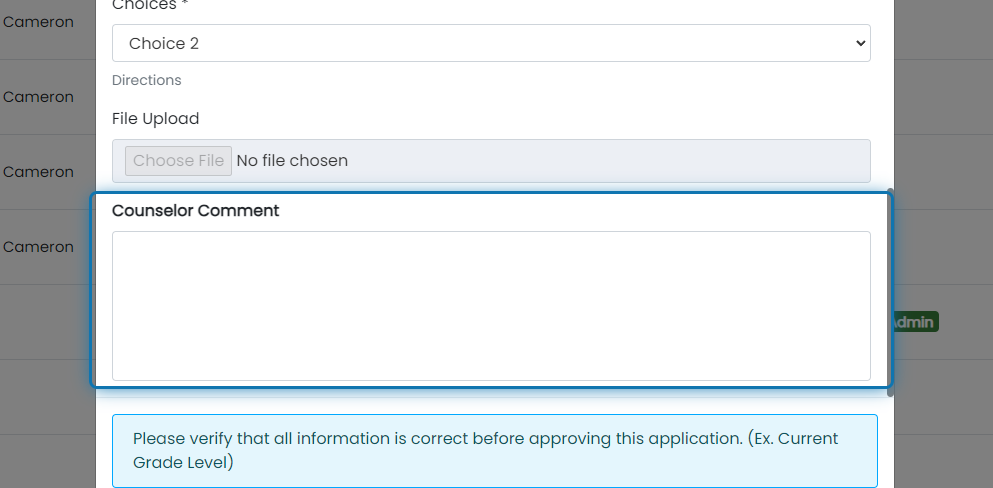
6. Add any comments you have about the application
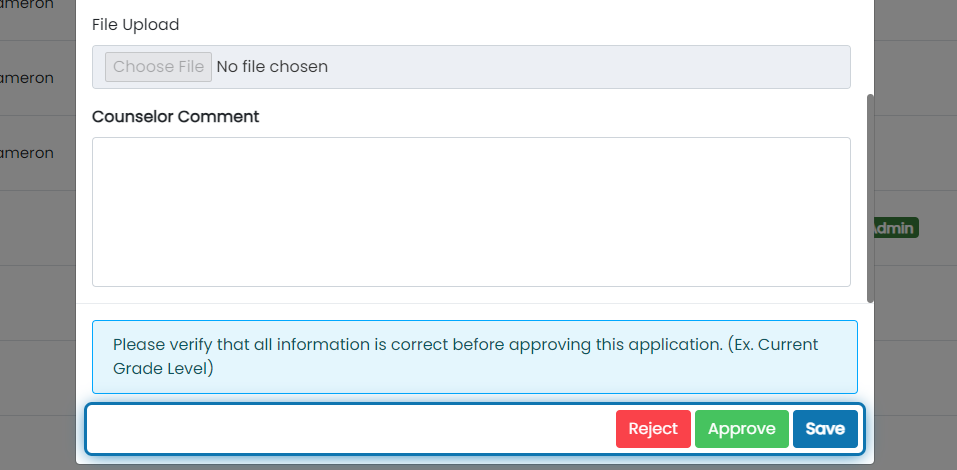
7. Finally, Approve/Reject the application
8. Click on the badge under the "Counselor Information Status" column in order to submit the information requested by the school

9. After clicking the badge, you will see a window asking for all of the information needed for the student
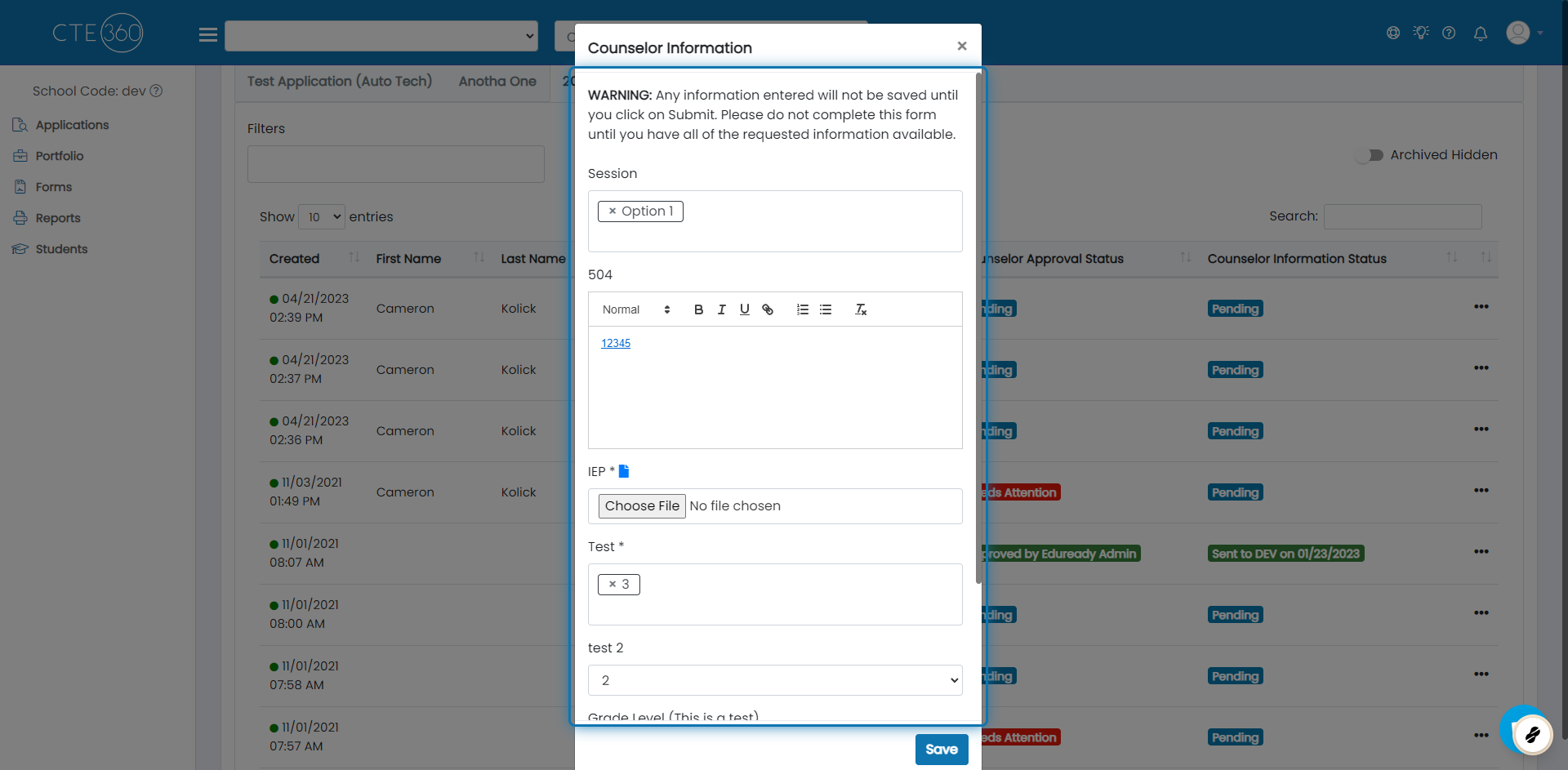
10. Click on Save

Was this helpful?
Still need help? Ask the team