Career Planning Completion
Use this report to see a grid of students and their career plan activities, with each activity marked complete, incomplete or not required. It helps you spot who still has activities to finish.
Last updated About 8 hours ago
Available in: Jobready CTE, Jobready CCR, Jobready WBL
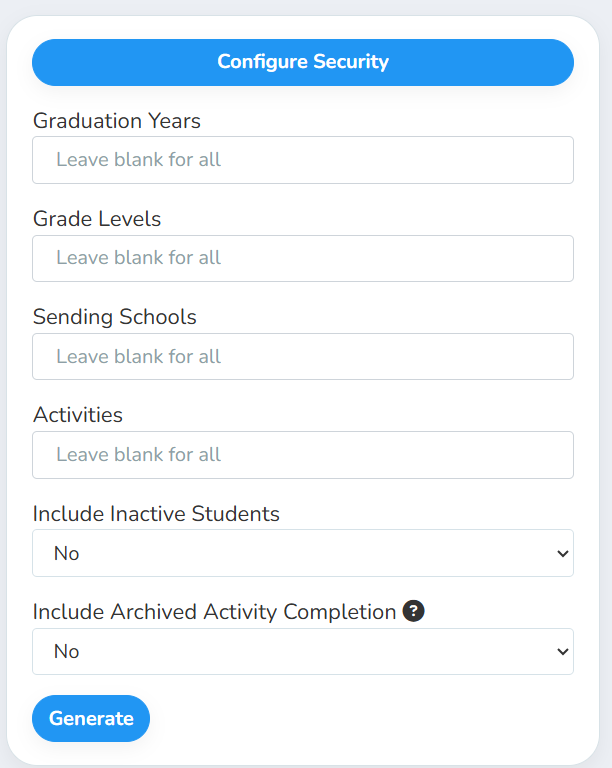
Filters
All filters are optional. Leave them blank to include every student and activity.
What's in the file
One row per student. The first columns describe the student:
After those, there is one column for each career plan activity, named after the activity. Each cell shows that student's status for that activity:
What each status means
Good to know
Students appear only if they have at least one activity on their career plan. Students with no activities aren't listed.
Activity columns come from your results. You'll see a column for each activity that at least one student in the report has. If you pick activities in the Activities filter, only those columns appear.
Current students by default. Without a graduation year, graduated students are left out. Pick a year under Graduation Years to include them.
Archived records only fill gaps. With Include Archived Activity Completion set to Yes, a removed record shows only when the student has no current record for that activity.
Your access applies. The report only includes students you have access to, and it uses your selected school and class.
Student data: This report lists student names, emails, SIS and state student numbers, grade levels, classes, schools and career plan activity statuses.
Related reports
Career Exploration Completion: see each student's Explore AI and Interest Profiler progress
Other Document Portfolio Progress: see which students have uploaded files to their portfolio
Was this helpful?
Still need help? Ask the team