Pay Stubs
Use this report to print pay stub summaries as a PDF, one page per work-based learning experience. Run it for a single experience or for every experience active in a date range.
Last updated About 8 hours ago
Available in: Jobready CTE, Jobready CCR, Jobready WBL
Filters
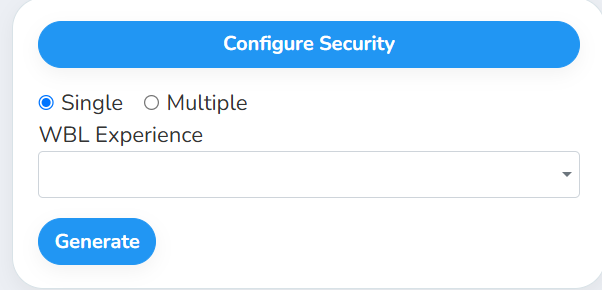
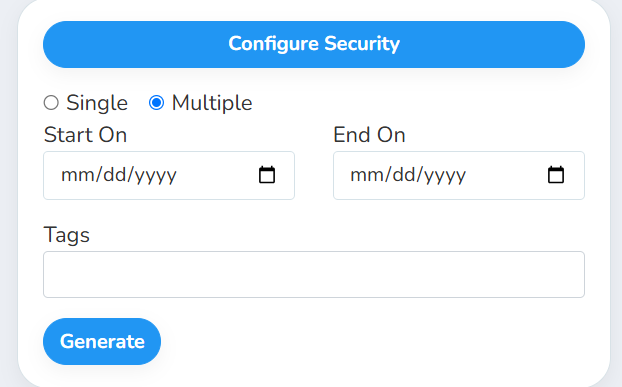
First choose Single or Multiple. The filters below change to match your choice.
What's in the file
The PDF is in landscape layout, with one page for each experience. In Multiple mode, pages are sorted by student last name and then first name.
Each page has:
A header with your organization's logo.
A title with the WBL type (for example Cooperative Education Pay Stubs), the student's name and the employer's name.
A pay stub table, oldest pay date first, with these columns:
Totals at the bottom: Grand Total Hours and Grand Total Gross Pay.
Good to know
Rejected pay stubs are left out of the table and the totals. Approved and pending pay stubs are both included, so the totals count pending pay too.
In Multiple mode, the dates pick the experiences. An experience is included if it was active at any point in the range, including experiences with no end date. Deleted experiences and deleted pay stubs are left out.
Your access applies. The PDF only includes experiences for students you have access to, and it uses your selected school and class. If you aren't an administrator, the WBL Experience list also only shows experiences where you're the assigned coordinator or no coordinator is assigned. If you choose a single experience you can't see, the PDF is empty.
Student data: This report shows student names with their pay and hours.
Related reports
Pay Stub - Individual WBL Experience: the same pay stubs as a spreadsheet, including rejected ones
Pay Stub - All WBL Experiences: every pay stub in a date range as a spreadsheet
Work Logs (PDF): print logged work hours by experience
Was this helpful?
Still need help? Ask the team